
Introduction
MCP servers went from a handful of experiments to nearly 2,000 registered entries in about a year, according to the Model Context Protocol project's own anniversary report.
That's not a niche protocol anymore. It's quickly becoming the default way LLMs connect to real tools, databases, and APIs.
But here's the catch nobody talks about enough: the more tools you plug into an MCP client, the worse tool selection gets. Models start picking the wrong function, mangling arguments, or calling tools they didn't need to call at all.
That raises an uncomfortable question for anyone shipping an MCP-powered app: does your setup actually work, or does it just look like it works in a demo?
This guide covers what MCP evals are, why they matter, the core metrics you should track, the difference between single-turn and multi-turn testing, and a step-by-step process for building your own eval pipeline.
Key Takeaways
- Tool selection accuracy drops as more tools compete for system prompt space.
- Evals measure the full prompt-to-tool-call pipeline, not just final output.
- Tool correctness, argument correctness, and task completion matter most.
- Single-turn and multi-turn apps need different test case structures.
- CI/CD-integrated evals catch regressions before they reach production.
What Is MCP and Why Does It Need Evaluation?
MCP runs on a three-part architecture defined in the official 2025 specification:
- Host – the application (like Claude Desktop or Cursor) that manages clients, permissions, and security policy
- Client – maintains one isolated connection to a single server and negotiates what that server can do
- Server – exposes the actual capabilities: Tools, Resources, and Prompts, and can request Sampling back through the client
Servers also support Roots, which let a client tell a server exactly which filesystem boundaries it's allowed to touch. Together, these primitives give the model a menu of things it can do beyond generating text.
That's the architecture layer. But what counts as an eval here is different from what most engineers expect.
A traditional unit test checks whether a function returns the expected value. An MCP eval simulates the entire chain instead: prompt → tool selection → tool call → result → grading. You're not just testing code, you're testing whether an LLM makes the right judgment call at each step.
The Context Window Problem
Every MCP server you add injects its tool descriptions straight into the system prompt. Add enough servers, and two things happen:
- The model develops a preference bias toward tools listed first or last
- You start bumping into context window limits, degrading performance across the board
This is exactly why some clients cap the number of tools they'll load at once, rather than letting teams pile on servers indefinitely. With the MCP registry now showing 407% growth in listed servers since its initial batch, per the MCP anniversary post, this problem only gets more common as teams connect more tools.
Evals for Hosts vs. Evals for Servers
These are not the same test:
| Eval Type | What It Tests |
|---|---|
| Host evals | How many tools the system prompt can hold before accuracy drops, and whether the correct tool gets selected |
| Server evals | Whether tool descriptions are clear, responses are correct, and the tool actually executes end-to-end |
Confusing the two is a common mistake. A server can be flawless and still fail in production if the host chokes on tool overload.
Platforms like FastRouter's MCP gateway track host and server evals separately, making it easier to pinpoint exactly which layer caused a failure.
How MCP Applications Fail Without Evaluation
Skip evals, and failures show up in a handful of predictable ways:
- Context overload – too many tool definitions crowd out the actual task
- Wrong tool selection – the model calls a similar-sounding tool instead of the right one
- Malformed arguments – parameters get truncated, misformatted, or hallucinated entirely
- Unnecessary tool calls – the model invokes a tool when a direct answer would've worked
- Hallucinated execution – the model claims a tool ran successfully when it didn't run at all
These aren't hypothetical. Security researchers at Trend Micro probed live MCP servers in 2025 and found 492 servers exposed with no client authentication or traffic encryption, together exposing 1,402 tools. More than 90% of those servers gave direct read access to connected data sources. Roughly 74% of the exposed instances ran on major cloud providers.
Malformed arguments create a different kind of risk, and it goes beyond accuracy. CVE-2025-54073, logged with NVD, documents an MCP server passing unsanitized tool input straight into a system command, opening the door to remote code execution.
Why This Gets Worse in Agentic Workflows
A single wrong tool call in a multi-step agent run doesn't just fail once. It feeds a bad result into the next step, and the next, until the debugging trail runs five layers deep before anyone finds where things went sideways. The earlier the error, the harder it is to trace back to its root cause.
Core MCP Evaluation Metrics and Criteria
Three criteria form the backbone of almost every MCP eval framework:
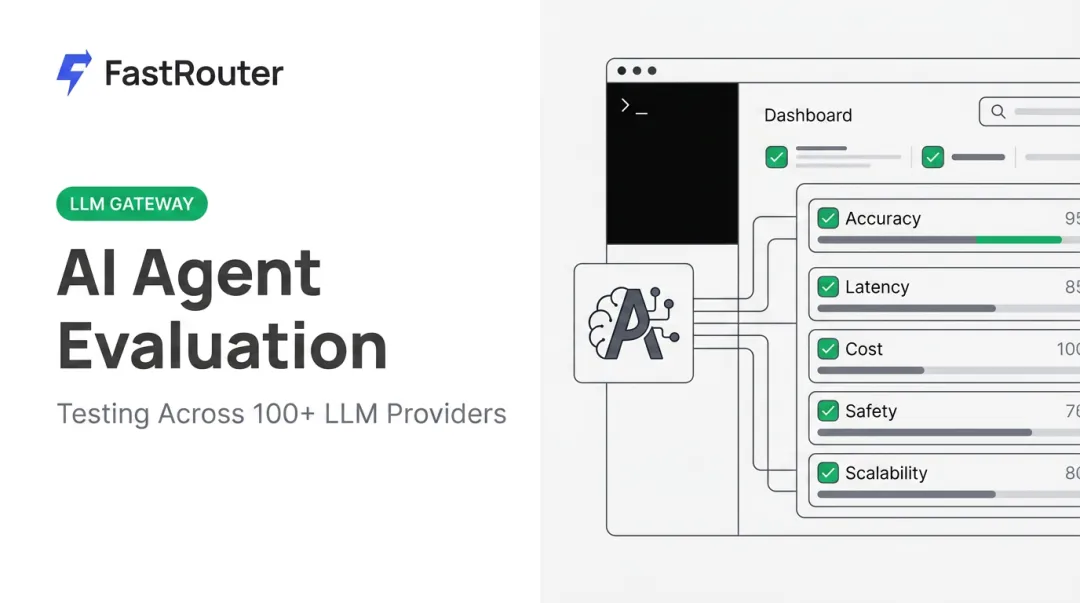
- Tool Correctness – did the model pick the right tool for the job?
- Argument Correctness – were the parameters passed to that tool accurate?
- Task Completion – did the end result actually satisfy what the user asked for?

LLM-as-Judge Scoring
Most eval tooling uses another LLM to grade outputs against a rubric. The mcp-evals npm package, for instance, scores results across five dimensions on a 1-5 scale: Accuracy, Completeness, Relevance, Clarity, and Reasoning, plus written comments explaining the score.
DeepEval takes a slightly different approach with its MCPUseMetric. It scores tool selection and argument correctness separately, then reports whichever score is lower as the final result, on a 0-1 scale with a 0.5 threshold. A separate MCPTaskCompletionMetric checks whether the overall interaction actually solved the user's problem.
Benchmark Data Worth Knowing
Independent research backs this up at scale. MCP-Bench, which tests models across 104 tasks and 250 tools spanning 28 live servers, combines rule-based checks (valid tool names, schema adherence, execution success) with LLM-judge scoring for task completion and planning quality.
Its results tell a clear story: GPT-5 scored 0.749 overall, o3 scored 0.715, and gpt-oss-120b scored 0.692 — even though several models exceeded 98% on schema compliance alone. That gap between "technically valid" and "actually good" is exactly what evals are meant to catch.
Host vs. Server Metrics
The same three criteria apply differently depending on what you're testing:
| Eval Type | Primary Focus |
|---|---|
| Host evals | Tool selection accuracy across a crowded system prompt |
| Server evals | Whether the tool's own description matches its real behavior |
Platforms running production agent traffic, including LLM gateways like FastRouter, also track interaction-level reliability, essentially a running tally of successful versus failed tool calls, to catch drift before it becomes a support ticket.
Single-Turn vs Multi-Turn MCP Evaluation
Not every MCP app needs the same eval structure; it depends on how users actually interact with it.
Single-Turn Evaluation
A single-turn interaction is one prompt, one tool call sequence, one response. Think:
- Fetching a weather report
- Creating a file
- Pulling a record from a database
You capture the input, the tools called, and the final output, then grade that one snapshot. DeepEval's LLMTestCase structure works well here, recording tools_called against expected_tools for direct comparison.
Multi-Turn Evaluation
Multi-turn apps require memory across the conversation, such as a support agent that references something the user said three messages ago. Here you need to track:
- Which tools were called on each turn
- Whether context from earlier turns carried forward correctly
- Whether the conversation as a whole achieved the user's goal
DeepEval's ConversationalTestCase structure stores an ordered list of turns, each with its own role, content, and tool calls, so you can grade the whole arc rather than one isolated exchange.
Choosing between the two isn't really optional: if your app holds context across turns and you only eval single snapshots, you'll miss the exact failures your users experience most.

Step-by-Step Guide to Setting Up MCP Evals
Step 1: Register Your MCP Servers
List every MCP server your app uses and make sure their Tools, Resources, and Prompts are fully exposed. The evaluating LLM needs complete visibility into what's available, not a partial picture. Platforms like FastRouter's MCP Gateway work as a centralized registry here, giving agent teams one place to discover and govern the servers they're already running.
Step 2: Instrument Your Application
Track every MCP interaction during execution: which tool got called, what arguments were passed, and what came back. If your app is multi-turn, log this separately for each turn, not just once at the end of the conversation.
Step 3: Build Structured Test Cases
Pair each prompt with the tool behavior you expect. A minimal example using the mcp-evals package:
const result = await grade(
  openai("gpt-4"),
  "What is the weather in New York?"
);
This runs the prompt, checks tool selection and arguments, and returns a graded JSON result you can inspect or automate against.
Step 4: Pick Your Framework
Match the tool to your stack:
- mcp-evals (npm) – lightweight, JavaScript/TypeScript, ships with a GitHub Action
- DeepEval – Python-native, strong multi-turn support via
ConversationalTestCase - OpenAI Evals – good fit if you're already deep in the OpenAI ecosystem
Step 5: Run Evals and Review Scores
Execute your test suite and read the graded reports closely, watching for patterns like a tool being consistently mis-selected or arguments breaking on a specific input format. That's where your fixes belong.
Step 6: Automate in CI/CD
Wire evals into your pipeline so every commit runs against your test suite automatically. The mcp-evals package documents a GitHub Actions workflow that posts results directly as pull request comments, catching regressions before they ship rather than after a user reports them.

Best Practices for Improving and Operationalizing MCP Evals
MCP evals improve fastest through a few operational habits:
- Build golden datasets: Reuse the same set of test scenarios every time you update your MCP app, so you can confirm real improvement instead of getting lucky on different inputs.
- Refine tool descriptions: Ambiguous descriptions are a leading cause of wrong tool selection. If two tools sound similar to a human reading the docs, they'll confuse the model too.
- Separate failure categories: Tool timeouts, model refusals, and rate-limit errors need different fixes. Lumping them into one generic "error" bucket only slows down debugging.
- Unify tooling as you scale: Running one eval script per provider and another per MCP server works fine at small scale, but it breaks down once you're managing a dozen servers across multiple providers.
This is where a single control plane earns its keep. FastRouter, for example, lets teams run evaluations alongside multi-provider routing, cost tracking, and real-time observability in one place. That beats maintaining a pile of disconnected scripts that need updating every time a provider changes something.
That consolidation matters most for teams running agent frameworks like Claude Code or Hermes across multiple MCP servers simultaneously, where tracking quality drift by hand across every combination just isn't realistic.
Frequently Asked Questions
What is MCP evaluation and how is it different from regular LLM evaluation?
MCP evaluation measures tool selection, argument accuracy, and task completion across the full tool-calling workflow. Regular LLM evals typically just grade final text output quality, missing everything that happens in between.
Do single-turn and multi-turn MCP apps need to be evaluated differently?
Yes. Single-turn evals grade one prompt-to-response snapshot, while multi-turn evals track tool calls and context across an entire conversation, requiring a different test case structure for each.
What tools can I use to run MCP evals?
Common options include mcp-evals (an npm package with a built-in GitHub Action), DeepEval (Python, strong on multi-turn testing), OpenAI's Evals API, and gateway platforms such as FastRouter that bundle MCP evaluation tooling directly into the routing layer. Each fits a slightly different stack and workflow.
How many tools can an MCP client handle before performance degrades?
There's no universal number, but community reports point to caps around 40 tools in some clients, largely tied to context window limits and the preference bias that crowded system prompts create. Testing your own setup is the only reliable way to know your actual ceiling.
Can MCP evals be automated in CI/CD pipelines?
Yes. Frameworks like mcp-evals ship with GitHub Actions integration, so eval suites run automatically on every commit and post results as pull request comments before code reaches production.
What's the difference between evaluating an MCP host vs an MCP server?
Host evals test how well the client orchestrates tool selection across potentially crowded system prompts. Server evals test whether the tools themselves are described clearly and execute correctly once called.