Managing five models across five providers means five separate SDKs, five authentication setups, five billing systems, and five different failure modes. That operational sprawl is exactly what an LLM gateway is built to solve.
This guide compares the five most relevant LLM gateways in 2026 — FastRouter, LiteLLM, Portkey, OpenRouter, and Helicone — evaluated on routing flexibility, observability depth, cost controls, deployment options, and fit for different team profiles.
Key Takeaways
- FastRouter is a unified LLMOps control plane — routing, observability, guardrails, and cost governance across 100+ models in a single OpenAI-compatible layer.
- LiteLLM gives self-hosting teams deep infrastructure control, but demands real DevOps investment to operate.
- Portkey targets regulated enterprises with strong compliance credentials (SOC 2 Type II, HIPAA, GDPR) and 1,600+ models.
- OpenRouter is the fastest gateway to set up — 400+ models, pay-as-you-go, no self-hosting required.
- Helicone combines Rust-based routing with native observability in a single open-source stack.
What Is an LLM Gateway and Why Do You Need One?
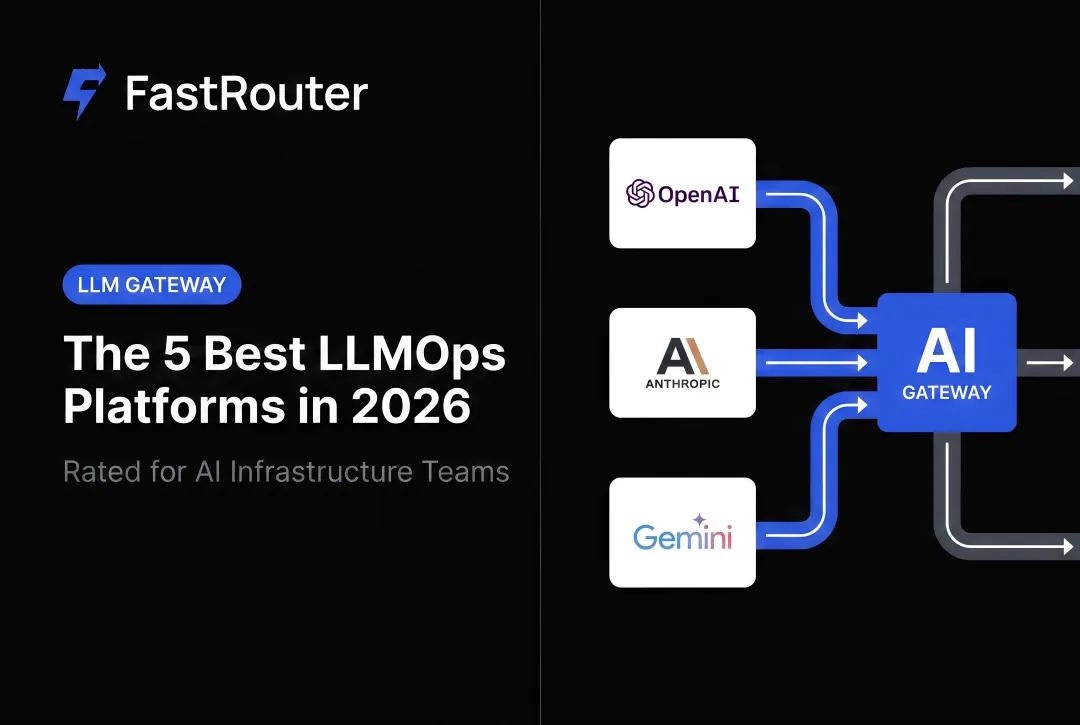
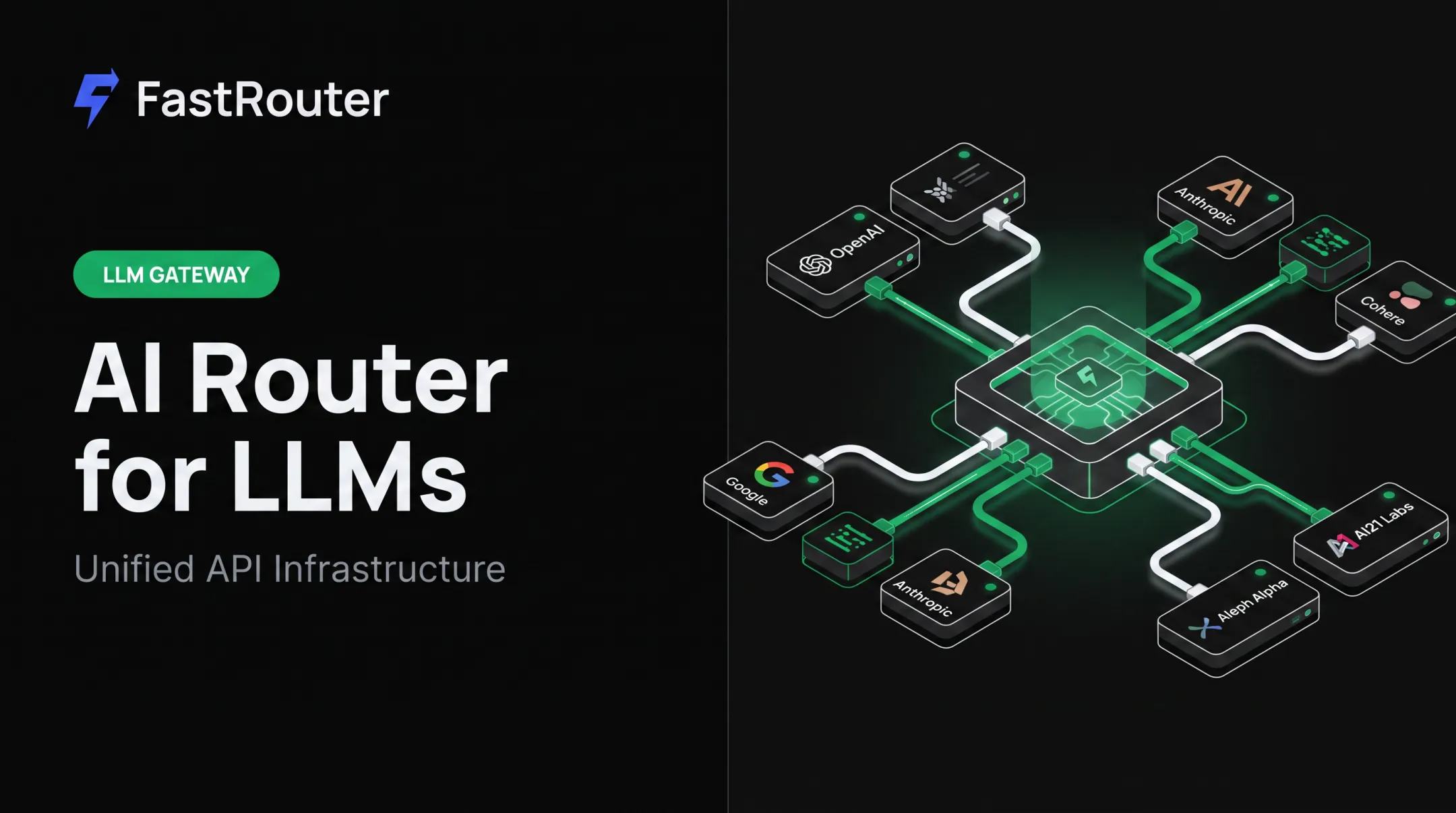
An LLM gateway sits between your application and multiple model providers, giving teams a single API endpoint for routing requests, switching models, and enforcing policies — without rewriting integration code every time a provider changes.
Gartner's Market Guide for AI Gateways frames these tools as infrastructure for managing, securing, and protecting provider connections — with an emphasis on governance, cost control, and private API traffic protection.
What Gateways Actually Solve
Without a gateway, each provider integration brings its own:
- Authentication setup and credential management
- Rate limit handling and retry logic
- Billing account and invoice reconciliation
- SDK version dependencies
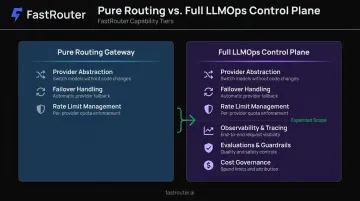
A gateway centralizes all of this. The distinction worth understanding: a pure routing gateway handles provider abstraction and failover. A full LLMOps control plane extends that with observability, evaluations, guardrails, and cost governance — so teams aren't stitching together a separate tool for each function.
When You Actually Need One
A single low-volume app calling one provider may not justify the overhead. A gateway makes sense when:
- Multiple teams or applications share LLM infrastructure
- Real-time spend enforcement is needed across providers
- Reliability (failover, retries) is a production requirement
- Audit trails or compliance controls are mandatory
- You need to compare or rotate models without application-layer rewrites
Top LLM Gateways in 2026
These tools were evaluated on routing flexibility, SDK compatibility, observability depth, deployment options, and pricing transparency — not model catalog size alone. Each entry below covers what the tool does well, where it falls short, and who it's best suited for.
FastRouter
FastRouter is an LLMOps control plane that provides a single OpenAI-compatible API across 100+ models — with routing, real-time observability, experiment tracking, guardrails, cost governance, and evaluations built into one platform.
Unlike pure gateways, teams get tracing, evaluations, and routing in the same layer rather than integrating three or four separate tools.
FastRouter also includes a free LLM audit service that analyzes live API traffic over a 7-day window and surfaces a prioritized savings report — covering cost breakdowns, quality comparisons on real prompts, reliability gap assessments, and latency optimization recommendations. Across audits run on the platform, FastRouter reports an average of 46% cost reduction identified and $1,240 in monthly savings surfaced per team.
Consolidated billing is handled through a single FastRouter account using a prepaid credit model — no separate billing relationships with each underlying provider.
| Category | Details |
|---|---|
| Key Features | OpenAI-compatible unified API across 100+ models; real-time observability and tracing; experiment tracking and evaluations; guardrails for content and cost governance; multi-provider routing with failover; real-time alerts for spend anomalies, errors, and performance issues; free LLM audit service |
| Deployment Options | Cloud-managed API access confirmed; visit fastrouter.ai for current deployment tiers and any enterprise restrictions |
| Pricing | Free credits available to start — no credit card required, no setup fees, no monthly minimums; trial credits expire after 30 days; contact FastRouter for paid plan thresholds and enterprise pricing |
Best for: Teams that need routing, observability, evaluations, guardrails, and cost governance without stitching together multiple tools.
LiteLLM
LiteLLM is the most widely adopted open-source LLM proxy, with 53,733 GitHub stars as of July 2026. It exposes 100+ providers through an OpenAI-compatible format via a Python-based proxy server — commonly self-hosted by engineering teams who want full infrastructure control.
Its strengths are genuine: broad provider coverage, virtual API keys with per-user and per-project budget tracking, and flexible YAML-based configuration. Production deployments, however, carry real infrastructure requirements.
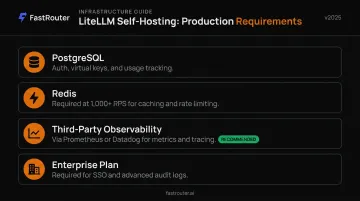
Production requirements to plan for:
- PostgreSQL for authentication, virtual keys, and usage tracking
- Redis becomes required at ~1,000+ RPS to avoid database connection exhaustion
- Observability depends on third-party integrations (Prometheus, Datadog)
- SSO beyond five users and advanced audit logs require the Enterprise plan
| Category | Details |
|---|---|
| Key Features | 100+ provider integrations in OpenAI-compatible format; virtual API keys with budget and rate limit controls; self-hosted with YAML configuration; integrates with Prometheus, Datadog, and other external logging tools |
| Deployment Options | Self-hosted only (Docker, Kubernetes); Enterprise plan available for managed support and advanced access controls |
| Pricing | Free and open-source for self-hosted; custom Enterprise pricing for SSO, guardrails, audit logs, and dedicated support |
Best for: Infra-capable teams that prioritize self-hosting, API portability, and source-level control — and already operate PostgreSQL, Redis, and their own monitoring stack.
Portkey
Portkey is a full-stack LLMOps platform bundling an open-source AI gateway (1,600+ models) with observability, guardrails, prompt management, and governance controls. It's a strong choice for enterprise teams in regulated industries.
Portkey's security documentation confirms SOC 2 Type II, HIPAA, GDPR, and ISO 27001 compliance. Enterprise features include OIDC SSO, custom BAAs, and air-gapped deployment.
What to watch: Portkey uses log-based billing — costs scale with recorded request volume, not just token usage. The free tier covers 10K logs/month; the $49/month Production plan includes 100K logs with $9 per additional 100K. At scale, log overages can add meaningful cost. Advanced governance features (SSO beyond basic limits, data residency controls, custom BAAs) require the Enterprise tier.
| Category | Details |
|---|---|
| Key Features | 1,600+ models with automatic fallbacks and load balancing; 50+ built-in guardrails including content filtering and PII detection; semantic and simple caching; prompt management; native observability dashboard |
| Deployment Options | SaaS cloud, self-hosted, and hybrid; air-gapped deployment at Enterprise tier |
| Pricing | Free tier: 10K logs/month; Production: $49/month (100K logs); Enterprise: custom — log-based billing means costs grow with request volume |
Best for: Regulated enterprises needing managed compliance controls, broad model access, and documented governance tooling.
OpenRouter
OpenRouter is a cloud-managed gateway that consolidates access to 400+ models through a single OpenAI-compatible endpoint. Teams prepay in USD credits and manage one balance instead of separate provider accounts — teams can be routing requests within minutes of signup.
Card purchases carry a 5.5% processing fee with a $0.80 minimum. BYOK (bring your own key) is free for the first 1M requests per month, then 5% of OpenRouter model cost applies. Free model variants use a :free suffix, with rate limits that vary based on account credit balance.
For production use, there are meaningful constraints to weigh. There's no official self-hosting option — a hard constraint for teams with data residency requirements. Observability is limited to an activity dashboard and usage history; there's no evaluation or scoring suite. Team-based budget enforcement is available at the Enterprise tier, but governance depth is lighter than Portkey or LiteLLM.
| Category | Details |
|---|---|
| Key Features | 400+ models; pay-per-token billing with prepaid credits; automatic provider fallbacks; routing variants optimized for speed or cost; per-key rate limits and workspace budgets |
| Deployment Options | Cloud-managed only; no officially documented self-hosting option |
| Pricing | Pay-as-you-go with prepaid credits; provider token rates passed through; free models available with rate limits; 5.5% card processing fee |
Best for: Individual developers and small product teams who want fast, broad model access without managing provider accounts or infrastructure.
Helicone
Helicone is an open-source LLM gateway written in Rust, combining request routing with automatic observability. Every request is logged with latency, token usage, cost, and provider health data — without additional instrumentation. Its gateway repository reports under 5ms p95 routing latency at ~3,000 requests per second, based on vendor-run benchmarks.
Deployment options are flexible: Helicone's hosted API, Docker, Kubernetes with Helm, or full manual self-hosting using separate Postgres, ClickHouse, and MinIO components.
Limitations to know:
- Evaluation and scoring capabilities are limited — Helicone can ingest external scores but is not an evaluation framework
- Observability is tightly coupled to Helicone's own dashboard
- Routing logic is documented around model strings and fallback chains; conditional routing based on arbitrary user metadata is not documented
| Category | Details |
|---|---|
| Key Features | Rust-based low-latency routing; automatic request logging with cost and latency tracking; health-aware load balancing with circuit breaking; cross-provider caching; rate limiting and failover |
| Deployment Options | Open-source self-hosted (Docker, Kubernetes, bare metal) and cloud-hosted |
| Pricing | Free: 10K requests/month + 1GB storage; Pro: $79/month; Enterprise: custom |
Best for: Teams that want an open-source gateway and a native observability dashboard in one stack — and plan to bring a separate evaluation framework.
How to Choose the Right LLM Gateway
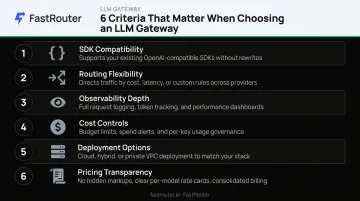
Most teams pick the wrong gateway by optimizing for model catalog size. What actually matters is how well the gateway fits your production workflow — and that comes down to six specific criteria.
Six Criteria That Matter in Production
- SDK and API compatibility — Can your existing code point to a new base URL, or does migration require rewrites?
- Routing flexibility and failover — Does it support conditional routing, load balancing, and automatic failover on 429/500 errors?
- Observability depth — Is it native to the gateway, or does it require a third-party integration to get useful data?
- Cost controls — Real-time budget caps, per-team spend attribution, and response caching to cut redundant API calls
- Deployment options — Cloud-managed, self-hosted, or on-premise, depending on your data residency requirements
- Pricing transparency — Per-request vs. per-log billing, and whether provider token rates are passed through at cost or marked up
Decision Framework
| If your team needs... | Consider |
|---|---|
| Fast model access with minimal setup | OpenRouter |
| Lightweight routing + native observability | Helicone |
| Full self-hosted infrastructure control | LiteLLM |
| Compliance tooling for regulated environments | Portkey |
| Routing, observability, evaluations, guardrails, and cost governance unified | FastRouter |
Conclusion
Choosing an LLM gateway comes down to more than which models you can access today. What matters in production is whether your gateway can handle observability, cost attribution, and output quality improvement without requiring a separate tool for each.
Before committing, evaluate three things:
- Deployment flexibility: Can you self-host if your security or compliance posture requires it?
- Governance requirements: Do you need audit logs, access controls, or compliance certifications?
- Integration overhead: How many separate tools are you stitching together to cover routing, tracing, and cost visibility?
For teams that want routing, tracing, evaluations, guardrails, and cost governance in one place, FastRouter handles all of that through a single OpenAI-compatible endpoint — no five-tool stack required. The free audit service is a practical starting point: connect your existing traffic, and get a data-driven picture of where you're overpaying and what you could switch.
Frequently Asked Questions
What is an LLM gateway?
An LLM gateway is an infrastructure layer between your application and multiple LLM providers. It gives teams a single API endpoint for routing requests, applying policies, and managing failover — without rewriting integration code for each model provider.
What is the difference between an LLM gateway and an LLMOps platform?
A pure LLM gateway handles request routing, failover, and provider abstraction. An LLMOps platform extends this with observability, evaluation, experiment tracking, guardrails, and cost governance — going well beyond request routing to cover the full lifecycle of running LLMs in production.
Do LLM gateways add latency to API requests?
Gateways do introduce routing overhead. Helicone reports under 5ms p95 and LiteLLM reports ~8ms p95 under specific test conditions — but these are vendor benchmarks, and geography, concurrency, and streaming behavior all affect real-world numbers. For most teams, built-in failover more than offsets that overhead compared to handling retries at the application layer.
Can I self-host an LLM gateway?
Yes — LiteLLM, Helicone, and Portkey's open-source gateway all support self-hosting, giving teams full infrastructure control and helping meet data residency requirements. That said, self-hosting requires DevOps capacity to deploy and maintain the stack, including databases and caching layers.
How do LLM gateways help control AI costs?
Gateways centralize cost tracking at the infrastructure layer — enabling per-user, per-team, or per-project spend attribution, real-time budget enforcement, and response caching to avoid redundant API calls. Some platforms, like FastRouter, also surface routing recommendations based on actual traffic analysis to identify where cheaper models can replace premium ones without quality tradeoffs.