
generateText and streamText, but the model you actually want to use runs on vLLM, lives behind OpenRouter, or is hosted by a provider that isn't OpenAI. Rewriting your integration layer for every backend gets old quickly.
That's the gap @ai-sdk/openai-compatible fills. It's a provider package that lets any endpoint following OpenAI's chat completions schema plug straight into the AI SDK, no custom adapter required. This article walks through what it is, how to set it up, which providers work with it, and what to watch out for once you're running it in production.
Key Takeaways
@ai-sdk/openai-compatibleconnects any OpenAI-spec API (self-hosted, third-party, or gateway) to the AI SDK with minimal config- Setup needs only a
baseURL,apiKey, and providername - Streaming and tool calling work only when the target endpoint implements them
- Feature support varies across "OpenAI-compatible" providers; test before you ship
- Pair with FastRouter for failover, observability, and cost governance across providers
What Is the @ai-sdk/openai-compatible Provider
@ai-sdk/openai-compatible is an official Vercel AI SDK community provider built for one job: talking to APIs that mirror OpenAI's chat completions schema. According to the npm package README, it's a foundation for providers exposing an OpenAI-compatible API, deliberately lighter than the main OpenAI provider.
That's the key distinction. @ai-sdk/openai is built specifically for OpenAI's own API surface. @ai-sdk/openai-compatible is generic: it assumes nothing about who's on the other end, only that they speak the same request/response language.
How it works under the hood: the package maps AI SDK's unified interface (generateText, streamText) to standard REST calls against a /chat/completions endpoint. Your application code doesn't change; only the provider config does.
Typical use cases:
- Self-hosted models via vLLM, Ollama, or LM Studio
- Niche or specialized model providers
- Model aggregators and gateways
- Enterprise-run inference endpoints
How It Differs From @ai-sdk/openai and Native OpenAI SDK
The OpenAI provider docs list a much richer API surface: Responses, Chat, Completions, image models, transcription, speech, and embeddings. The compatible package's README doesn't document fine-tuning or guaranteed embedding support. It stays scoped to the core chat and completion contract.
That trade-off is intentional:
@ai-sdk/openai: Deep OpenAI-specific features, locked to OpenAI's actual API@ai-sdk/openai-compatible: Broader interoperability with fewer provider-exclusive extras- Native OpenAI SDK (Python or JS): A client library for OpenAI's API directly, not an AI SDK provider
Regardless of which backend you connect, you keep the AI SDK's framework benefits. React hooks, streaming primitives, and tool calling all work the same way on top of any compatible provider.
Step-by-Step: Setting Up @ai-sdk/openai-compatible
Installation and Configuration
Install the package alongside the core AI SDK:
npm install @ai-sdk/openai-compatible ai
Then create a provider instance pointing at your target endpoint:
import { generateText } from 'ai';
import { createOpenAICompatible } from '@ai-sdk/openai-compatible';

const provider = createOpenAICompatible({
  name: 'providerName',
  apiKey: process.env.PROVIDER_API_KEY,
  baseURL: 'https://api.provider.com/v1',
});

const { text } = await generateText({
  model: provider('model-id'),
  prompt: 'Summarize this deployment log.',
});

Per the Vercel docs, apiKey automatically adds an Authorization: Bearer header. The name field also becomes the namespace for provider-specific options passed through providerOptions.
Handling Non-Standard Parameters
Some providers need extra fields the base schema doesn't cover. Pass these through providerOptions.<name> rather than hardcoding them into your prompt logic. That keeps provider quirks isolated from application code.
Common Setup Issues
Watch for these when connecting a new endpoint:
- Mismatched response schemas with different field names or nesting
- Incomplete streaming when a server mishandles server-sent events
- Auth headers that expect a custom format instead of
Bearer
Pre-Production Testing Checklist
- Send a
streamTextrequest and confirm chunks arrive correctly - Verify tool or function-call responses match the format your app expects
- Trigger a rate limit or bad request and confirm the app degrades gracefully
- Confirm token usage is reported—some providers omit it unless you request it
Popular OpenAI-Compatible Providers You Can Connect
Providers generally fall into three buckets:
Self-hosted inference servers:
- vLLM — supports Chat Completions, Completions, Responses, and Embeddings, though
suffixisn't supported and chat requires a configured template - Ollama — runs locally at
http://localhost:11434/v1/; explicitly documents compatibility with only parts of the OpenAI API - LM Studio — local server at
http://localhost:1234/v1; swap the base URL and use LM Studio's own model identifier

Model aggregators and gateways:
- OpenRouter — normalizes schemas across many models at
https://openrouter.ai/api/v1; unsupported parameters are silently ignored rather than erroring - Together AI — broad OpenAI-compatible surface at
https://api.together.ai/v1, but uses namespaced model IDs (an OpenAI string likegpt-4owill 404)
Cloud-specific endpoints: various enterprise and specialty providers expose OpenAI-shaped APIs with their own gaps in feature coverage.
In every case, the switch is the same: change baseURL and apiKey, nothing else in your app. But feature support varies a lot. One provider's "compatible" endpoint might skip function calling or JSON mode entirely. Always check the provider's own docs before assuming parity.
This is where multi-provider setups get messy. Routing across OpenAI-compatible backends by hand means juggling separate keys, rate limits, and failure modes for each.
FastRouter is built for that layer. It exposes a single OpenAI-compatible endpoint (https://api.fastrouter.ai/api/v1) that routes across 100+ models from providers like OpenAI, Anthropic, Google Gemini, and xAI, with observability and guardrails included.

Best Practices for Production Use
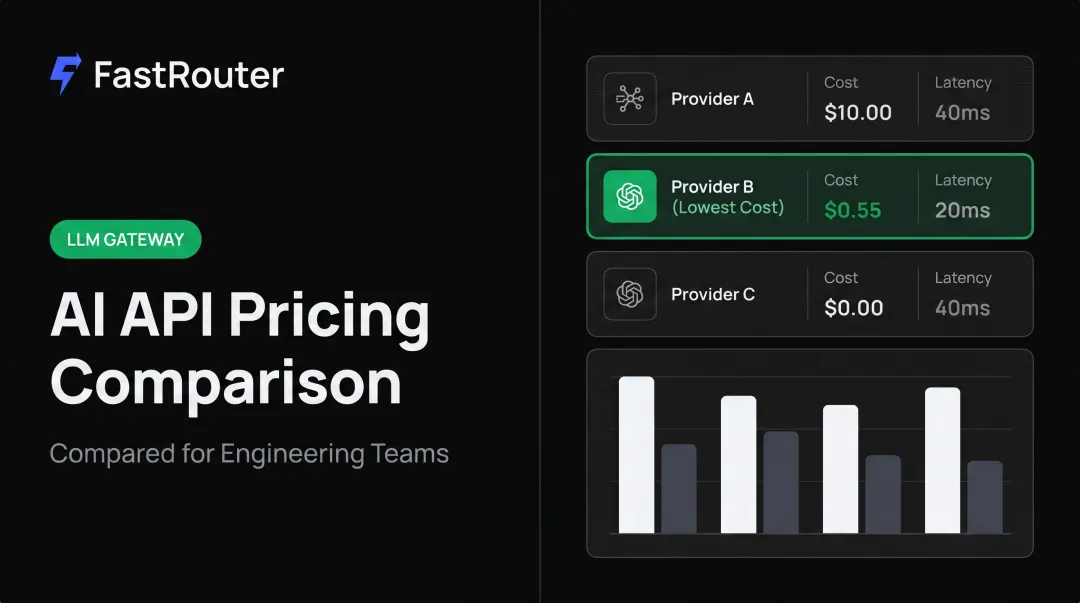
Build fallback logic across providers. Any single provider can hit downtime or rate limits. FastRouter's Virtual Model Lists, for example, let you stack multiple models/providers behind one alias with a defined priority order. If one fails, requests reroute automatically without touching application code. Monitor per-provider behavior, not just aggregate metrics. Latency and error rates aren't uniform across providers. FastRouter's own comparisons show real spread: 0.489 seconds latency for Baseten versus 0.833 seconds for DeepInfra. That gap is easy to miss without per-provider tracking. Things worth watching per provider:
- Token usage and cost per request
- p50/p99 latency
- Error rate and error type
- Streaming and tool-calling reliability
Centralize keys and routing instead of hardcoding configs. Scattering provider credentials and retry logic across services turns into a maintenance headache fast.
Consolidating that into one control plane, with BYOK support so you keep existing provider billing relationships, cuts the overhead of managing many
createOpenAICompatible()configs by hand. FastRouter is built for that model: - One gateway for every provider you route to
- Consolidated billing with spend limits per project or key
- Audit logging across requests

Frequently Asked Questions
Is there an AI SDK that is compatible with OpenAI APIs?
Yes. Vercel's AI SDK, paired with @ai-sdk/openai-compatible, is built specifically to connect any OpenAI-spec endpoint into the SDK's core functions like generateText and streamText.
Is there a Python SDK for OpenAI?
Yes, OpenAI publishes an official Python SDK (pip install openai) alongside its JS/TypeScript library. It's a client for OpenAI's own API, not the Vercel AI SDK provider ecosystem covered here.
What is an OpenAI compatible API?
It's an API that mirrors OpenAI's request and response schema closely enough that existing OpenAI client code works with little to no modification, typically just a base URL and API key swap.
Can I use @ai-sdk/openai-compatible with self-hosted models?
Yes. vLLM and Ollama are common examples, as long as they expose an OpenAI-style /chat/completions endpoint.
Does @ai-sdk/openai-compatible support streaming and tool calling?
It supports both, but only if the target provider implements them according to OpenAI's spec. Support isn't universal. Some models skip streaming or tool calling entirely, so test before relying on either.
How do I manage multiple OpenAI-compatible providers at scale?
Centralizing routing and monitoring through a platform like FastRouter cuts the overhead of managing separate configs, keys, and failover logic for each provider individually.