

Vercel AI SDK to production LLM app: complete 2026 workflow
Use vercel ai sdk fastrouter integration server-side. Configure streaming, validate requests, define retry ownership, and test failures before production.
Instead of maintaining separate provider integrations, connect Vercel AI SDK to Fastrouter through a server-side OpenAI-compatible provider configuration. This 2026 workflow covers streaming, request validation, routing ownership, and release checks without exposing gateway credentials to the browser.
TL;DR
- Use server-side credentials for vercel ai sdk fastrouter integration; keep gateway configuration out of browser bundles.
- Fastrouter is best for enterprise teams that need a unified LLM gateway with routing, failover, and usage governance.
- Select the SDK request interface explicitly and verify the gateway endpoint before testing streaming.
- Assign retry ownership before enabling automatic failover; test cancellation and partial-stream failures before release.
Why this matters
The integration boundary is straightforward; production ownership is the harder part. Your application authenticates users and validates requests. The SDK constructs model requests and exposes response streams. The gateway manages access and routing across providers.
Fastrouter provides an OpenAI-compatible LLM gateway with automatic failover, cost optimization, and usage governance. Those capabilities do not replace application authorization, input validation, or release testing. Treat the gateway as another production dependency, not as a substitute for those controls.
The benefit is a shared access layer rather than separate provider plumbing throughout your application. The trade-off is another configuration and operational boundary to monitor. For your 2026 release, define which layer owns model selection, retries, cancellation, and usage attribution before writing the route.
Before you start
- Prepare server-side access. Have gateway credentials, the documented API base URL, and an exact model identifier enabled for your account. Keep credentials in your deployment's secret storage, not browser-accessible variables.
- Prepare the application. Use an existing Next.js application with a server route, application authentication, and a package lockfile. Install
aiand@ai-sdk/openai; record the versions you test. - Check the compatibility boundary. OpenAI compatibility does not establish support for every OpenAI endpoint or feature. Confirm the gateway's Chat Completions support and streaming behavior before using the explicit
.chat()interface below.
The non-obvious gotcha is the request interface. A compatible base URL alone is not enough if your SDK sends a different endpoint or request shape from the one your gateway accepts. Explicit interface selection makes that boundary visible.
Configure the production workflow
Build the integration around four configuration units: Server boundary, Gateway connection, Text stream, and Release checks. Each unit has a separate verification result, so an authentication failure does not get confused with a streaming failure.
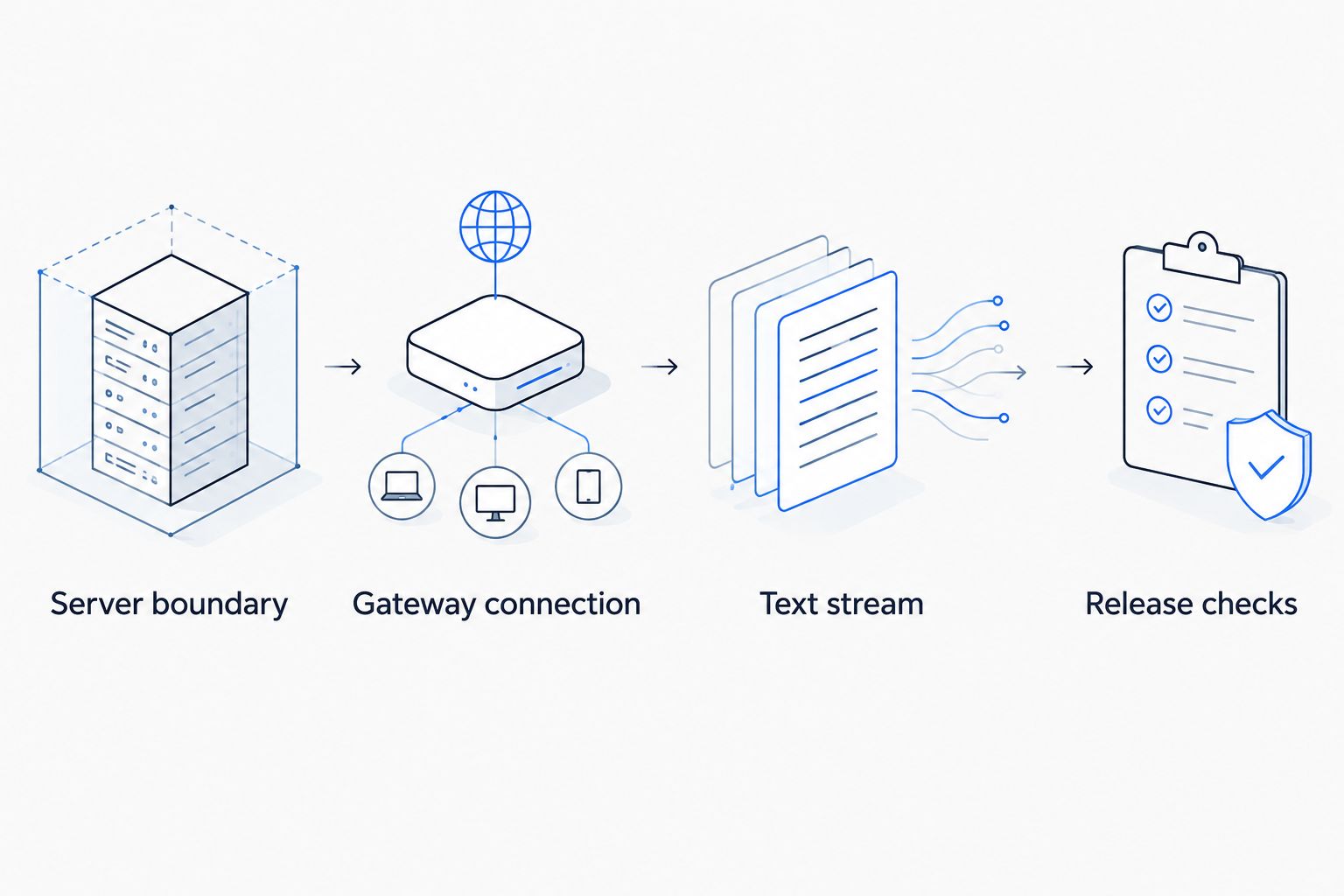
Verify credentials and request compatibility before testing browser streaming.
Server boundary
- Install the SDK packages from your application's repository:
1npm install ai @ai-sdk/openai
- Define FASTROUTER_API_KEY, FASTROUTER_BASE_URL, and FASTROUTER_MODEL in your server environment. Copy their values from your account configuration and current gateway documentation. The variable names here are application-defined; they are not claimed gateway requirements.
- Keep the same configuration names across local, preview, and production deployments. Use separate credentials where your account setup permits environment isolation.
- Put the model call behind your existing authenticated server route. Authorize the requested operation before contacting the gateway, and do not accept an arbitrary destination URL from the client.
Expected result: the server can read its gateway configuration, while the browser receives neither the API key nor authority to choose an unrestricted upstream destination.
Do not treat an obscure route path as authentication. A public application endpoint remains callable outside your interface. Apply authorization and application-side request controls even when upstream usage governance is enabled.
Gateway connection
- Create the provider with createOpenAI, setting apiKey and baseURL explicitly.
- Select .chat(modelId) to construct a Chat Completions model interface. Use the exact identifier configured for your account, not a guessed provider prefix.
- Pass a validated prompt to streamText. Start with maxRetries: 0 while testing routing and failover, so SDK-level retries do not obscure the gateway's behavior.
- Return toTextStreamResponse() for the plain-text browser transport shown in the next unit.
The following app/api/chat/route.ts example isolates the transport wiring. It is not a complete production endpoint: add your application's authentication, authorization, and request controls before deployment.
1import 'server-only';2import { createOpenAI } from '@ai-sdk/openai';3import { streamText } from 'ai';45export async function POST(request: Request) {6 const apiKey = process.env.FASTROUTER_API_KEY;7 const baseURL = process.env.FASTROUTER_BASE_URL;8 const modelId = process.env.FASTROUTER_MODEL;910 if (!apiKey || !baseURL || !modelId) {11 return new Response('Server configuration error', {12 status: 500,13 });14 }1516 let body: unknown;17 try {18 body = await request.json();19 } catch {20 return new Response('Invalid JSON', { status: 400 });21 }2223 if (24 typeof body !== 'object' ||25 body === null ||26 !('prompt' in body) ||27 typeof body.prompt !== 'string' ||28 body.prompt.trim().length === 0 ||29 body.prompt.length > 400030 ) {31 return new Response('Invalid prompt', { status: 400 });32 }3334 const gateway = createOpenAI({ apiKey, baseURL });3536 const result = streamText({37 model: gateway.chat(modelId),38 prompt: body.prompt,39 maxRetries: 0,40 abortSignal: request.signal,41 onError: () => {42 console.error('Model stream failed');43 },44 });4546 return result.toTextStreamResponse();47}
The 4,000-character input cap is an example application policy, not a gateway limit. Replace it with a policy suited to your workload, and enforce request-body limits before parsing where your hosting stack supports them. A character cap is not a token budget.
Expected result: a valid server request produces a text response through the configured gateway. Invalid input is rejected before model generation begins.
Text stream
- Send the prompt to your application's server route with fetch. The browser calls your application, not the gateway directly.
- Check response.ok and response.body before reading the stream.
- Read byte chunks with getReader() and decode them with TextDecoder. Preserve decoder state between chunks because a character can span byte boundaries.
- Append decoded text to your interface. Flush the decoder when the stream ends.
1async function readAnswer(2 prompt: string,3 appendText: (text: string) => void,4 signal: AbortSignal,5) {6 const response = await fetch('/api/chat', {7 method: 'POST',8 headers: { 'Content-Type': 'application/json' },9 body: JSON.stringify({ prompt }),10 signal,11 });1213 if (!response.ok || !response.body) {14 throw new Error('Generation request failed');15 }1617 const reader = response.body.getReader();18 const decoder = new TextDecoder();1920 try {21 while (true) {22 const { value, done } = await reader.read();23 if (done) break;24 appendText(decoder.decode(value, { stream: true }));25 }26 appendText(decoder.decode());27 } finally {28 reader.releaseLock();29 }30}
This example uses plain-text streaming, not the SDK's structured UI-message transport. Do not attach a UI-message parser to it and expect compatible framing. If your application needs tool events or structured conversation state, choose the corresponding SDK transport and verify gateway support separately.
Expected result: text appears incrementally, and a browser cancellation signal reaches the application request. Verify upstream cancellation separately; forwarding a signal does not prove that every downstream provider stops work.
Release checks
- Run a suggested acceptance set of 10 representative prompts from your workload. Include short requests, longer inputs, and the output characteristics your product depends on. This is a starting test set, not a coverage guarantee.
- Exercise 3 failure cases: invalid credentials, an invalid model identifier, and a cancelled request. Record the application response and available gateway evidence for each.
- Check your deployment's execution duration and streaming behavior. Set an application deadline consistent with your hosting environment and product requirements; do not copy an unverified provider timeout.
- Record request correlation, selected configuration, completion state, duration, and usage where your response or observability stack exposes them. Keep secrets and sensitive prompt content out of routine logs.
- Pin the tested dependencies and repeat the acceptance set whenever you change the SDK, gateway configuration, or model selection.
Expected result: your 2026 release has evidence for successful requests and defined failure behavior, rather than only a working local demonstration.
Separate time to first visible text from total completion duration when measuring the browser experience. They answer different questions. Do not publish latency or throughput claims until your own measurements establish the workload, environment, and observation period.
Generate text without streaming
Use a non-streaming variant when your application needs the complete text before proceeding, such as a background transformation that validates the finished output. Keep the same server-only provider configuration and input controls; replace streamText with generateText.
1import { generateText } from 'ai';23const result = await generateText({4 model: gateway.chat(modelId),5 prompt: validatedPrompt,6 maxRetries: 0,7 abortSignal: request.signal,8});910return Response.json({ text: result.text });
This fragment belongs inside an authenticated handler after configuration and validation. The variables represent the same provider, model identifier, and validated input used in the streaming workflow.
Workflow | Best for | Advantage | Trade-off |
|---|---|---|---|
Plain-text streaming | Interactive text interfaces | Displays text before the full response completes | Requires incremental rendering and handling interrupted output |
Non-streaming generation | Jobs that process completed text | Gives downstream code a complete result to inspect | Returns text only after generation finishes |
Choose the response contract before building the client. Streaming and non-streaming are application behaviors, not evidence that one gateway configuration is faster or more reliable.
Troubleshooting
Authentication fails upstream
Check that the server received the intended credential and that the credential is authorized for the requested operation. Distinguish application authentication from gateway authentication. Return a safe application error; never send the upstream credential to the browser for debugging.
The model or endpoint is rejected
Verify FASTROUTER_BASE_URL, the exact model identifier, and the selected Chat Completions interface against current documentation. Do not append guessed endpoint paths to the base URL. Check SDK and gateway errors on the server without exposing sensitive response details to users.
The browser cannot parse the stream
Match the client parser to the server response contract. The example uses toTextStreamResponse() and a text decoder; a structured UI-message client requires its corresponding stream format. Test a direct server response before debugging interface state.
Requests appear repeatedly
Inspect retry behavior in the application, SDK, gateway, and job infrastructure. Assign retry ownership, then enable additional attempts deliberately. A retry of generation is not automatically safe if surrounding application code performs external side effects.
A stream stops after partial output
Mark the answer as incomplete and inspect cancellation, hosting deadlines, and upstream errors. Do not silently append a replacement generation to the partial answer. Mid-stream recovery needs an explicit application contract, even when the gateway provides automatic failover.
Customize your workflow
Move routing decisions out of scattered application code and into an explicit policy boundary. Fastrouter's unified LLM gateway provides routing, failover, and usage governance; configure those capabilities using the controls documented for your account rather than inventing request fields.
For your 2026 operating plan, expand the baseline in this order:
- Model evaluation: compare candidates against representative tasks and acceptance criteria before changing production routing.
- Usage attribution: associate requests with the application, environment, or tenant using supported metadata and your own correlation records.
- Failure ownership: document which layer retries, which failures trigger fallback, and how incomplete streams appear to users.
- Governance: authorize access in your application and verify gateway policies independently. Upstream controls do not establish a user's application permissions.
Keep provider-specific features isolated. OpenAI-compatible text generation is a useful starting boundary, but tools, structured output, and other features need their own compatibility checks.
FAQ
How do I connect Vercel AI SDK to Fastrouter?
Create a server-side OpenAI-compatible provider with your gateway API key and documented base URL, then select an authorized model identifier. Verify Chat Completions support before using the explicit .chat() interface and test the response transport before release.
Can I put the gateway API key in my frontend?
Keep the gateway API key on the server. The browser should call an authenticated application endpoint that validates input and controls access before contacting the gateway.
Does OpenAI compatibility mean every SDK feature works?
No; OpenAI compatibility does not establish support for every endpoint or feature. Verify streaming, tools, structured output, and any other required behavior against the gateway interface and SDK versions you deploy.
Should I use streaming or non-streaming generation?
Use streaming when users need to see text incrementally, and non-streaming when downstream code needs the completed text. Each workflow needs its own handling for cancellation, errors, and incomplete results.
Does automatic failover replace application error handling?
No; automatic failover does not replace application error handling. Your application must still handle invalid input, authorization failures, cancellation, and interrupted streams without presenting incomplete output as complete.
What should I test before a production release in 2026?
Test representative successful requests, invalid credentials, invalid model identifiers, and cancellation. Also verify the deployed stream format, execution deadlines, retry ownership, and observability without logging credentials or sensitive prompts.
One last thing
A successful HTTP response does not prove a complete streamed answer. The connection can start successfully and fail after text has already reached the browser. Track completion separately from request acceptance, and make incomplete output visible to the user.
Before your next 2026 rollout, test that failure deliberately. Fastrouter handles the gateway boundary; your application still owns what the user sees when generation stops.
Related Articles

AI model keyword CPC benchmarks by provider 2026
AI model keyword CPC by provider in 2026: how to benchmark paid search cost for OpenAI, Anthropic, Google and Meta queries, and what no public dataset proves.

AI model search demand benchmarks by provider 2026
AI model search demand by provider in 2026: how to measure it, which query clusters matter, and why demand data should drive your LLM routing decisions.

AutoGen to multi-model agent teams: complete 2026 workflow
Build an autogen fastrouter integration with explicit agent routes. Configure model clients, bound team execution, and validate failover before production use.