
.png&w=3840&q=75)
Prompt Hub: Write, Version, and Optimise Prompts Without Touching the Code
Prompt Hub lets teams write, version, and optimise prompts outside the codebase.

When a prompt lives as a hardcoded string inside application code, changing it means going through the entire deploy cycle. A product manager who wants to adjust the tone of an output needs an engineer to open a pull request, get it reviewed, and ship a deployment — for a wording change.
Prompt Hub decouples the prompt from the code. Prompts live in a dedicated library, get their own version history, and can be updated without a single line of code changing.
A library for your prompts
Instead of prompts scattered across files and services, Prompt Hub gives every prompt a home. Each prompt has a name, a version history, and an ID. The application refers to the prompt by its ID — not the full text — so updating what the prompt says does not require updating the code.
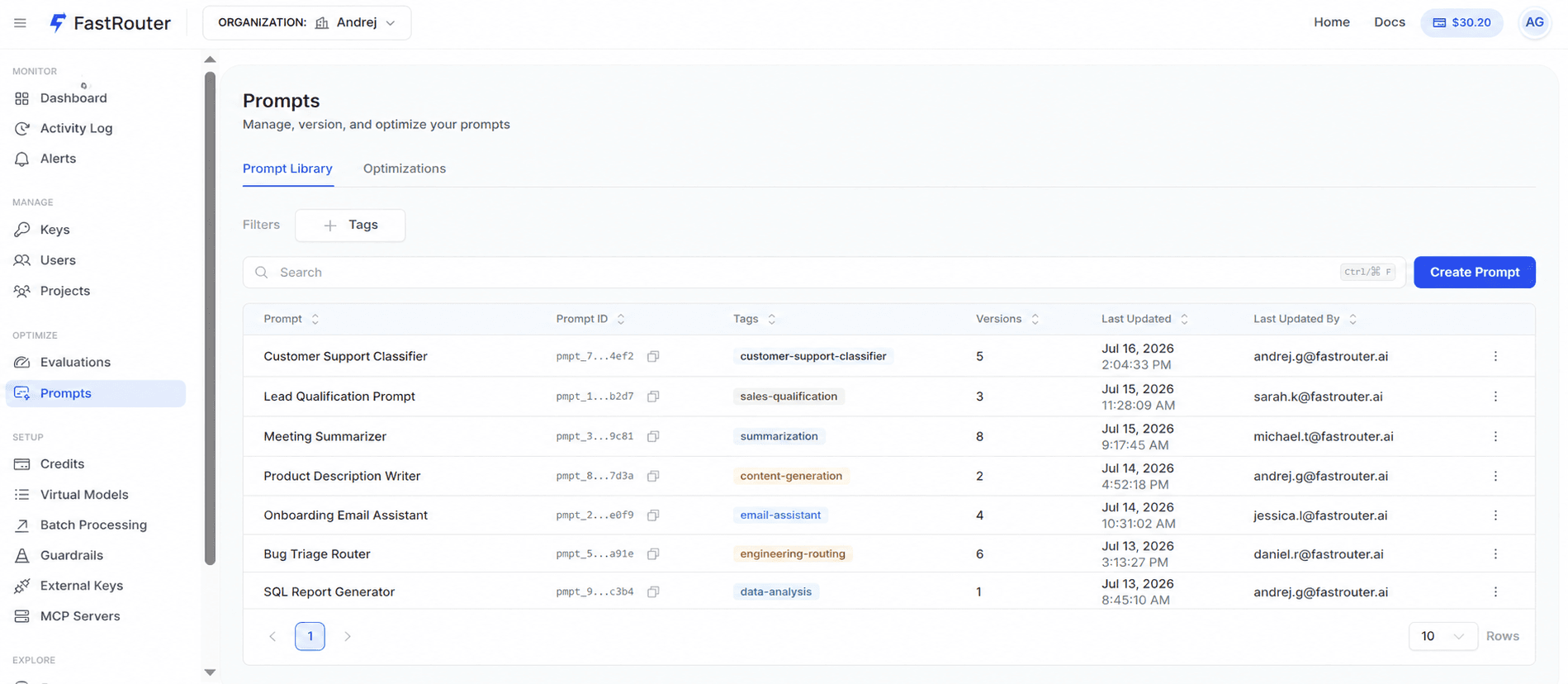
This means the person best placed to improve a prompt — often a product manager, a domain expert, or someone with customer context — can make that change directly without waiting on an engineering deploy.
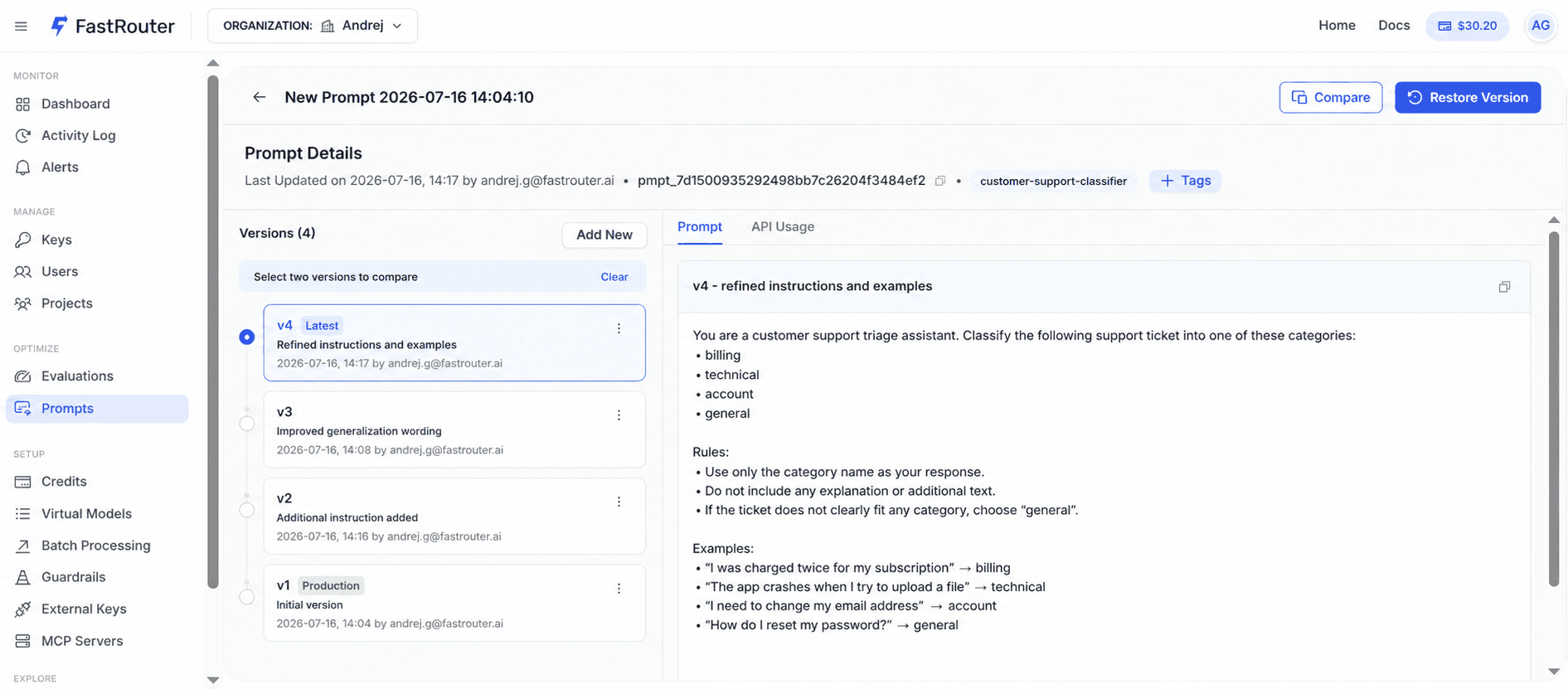
Version history and experiments
Every change to a prompt creates a new version. The history is always there. If a new version performs worse, rolling back is selecting the previous version — not reverting a git commit and redeploying.
Teams can run experiments by testing different prompt versions against the same inputs and comparing results. This makes prompt iteration feel like proper product work rather than editing a config file and hoping for the best.
Optimise with one click
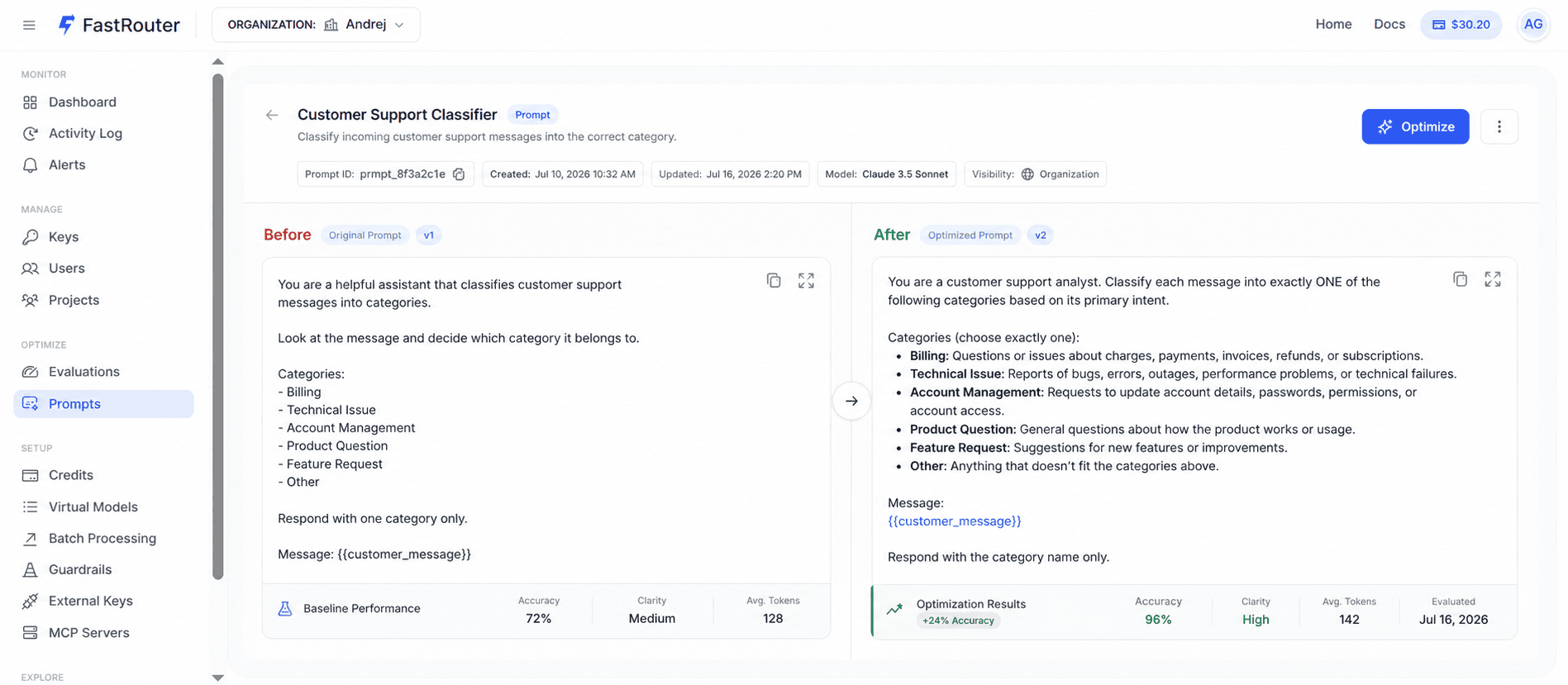
Prompt Hub includes a built-in optimisation feature. Select a prompt, click Optimise, and FastRouter generates an improved version based on the prompt's goal and quality criteria. The optimised version is saved as a new version in the history — it does not overwrite what was already working.
How the application calls a prompt
In the application, the prompt is referenced by its ID rather than its full text. Here is what a call looks like:
1curl -X POST "https://api.fastrouter.ai/api/v1/chat/completions" \2 -H "Content-Type: application/json" \3 -H "Authorization: Bearer YOUR-API-KEY" \4 -d '{5 "model": "openai/gpt-4.1",6 "prompt_id": "pmpt_dde193a153a14fbf9829dd9499bf828b",7 "variables": {},8 "messages": [{"role": "user", "content": "hi"}]9 }'
The application code does not change when the prompt changes. Only the content stored against that ID changes — in Prompt Hub, without a deploy.
Prompt Hub is available in FastRouter now. Start managing prompts like a product at fastrouter.ai.
Related Articles
.png&w=3840&q=75)
Your Coding-Agent Bill Is Growing. And You Can't See Why.
Cursor, Cline, and Claude Code burn tokens very differently by task type. See the real cost gap between them and how routing by task shape stops silent overspend.
.png&w=3840&q=75)
Build Apps and Games in the Playground Without Writing a Single Line of Code
Ask the FastRouter Playground to build an app or game and it renders the result instantly — interactive, no code required.
.png&w=3840&q=75)
Compare Image and Video Models Side by Side in the FastRouter Playground
FastRouter Playground lets you run one prompt across multiple models and see the outputs side by side.