
.png&w=3840&q=75)
Compare Image and Video Models Side by Side in the FastRouter Playground
FastRouter Playground lets you run one prompt across multiple models and see the outputs side by side.

Picking the right image or video model usually means opening several provider consoles, running the same prompt in each one, and trying to compare results across different browser tabs. FastRouter's Playground removes that friction entirely.
A single prompt. Multiple models. Results side by side in the same view.
How it works
Open the Playground from the FastRouter dashboard and select Image or Video mode. Type a prompt, choose which models to compare, and run it. Every model receives exactly the same prompt and produces its output in the same view.
The comparison is immediate and visual. No switching between tabs, no trying to remember what the first result looked like, no inconsistent parameters between providers.
A real example: two models, same prompt
Take a prompt like 'Elon Musk standing on a rocket heading to space, cinematic lighting, wide angle.' Run it against two models and the differences are immediately visible — how each model interprets 'cinematic,' how it handles composition, whether it gets the detail right.
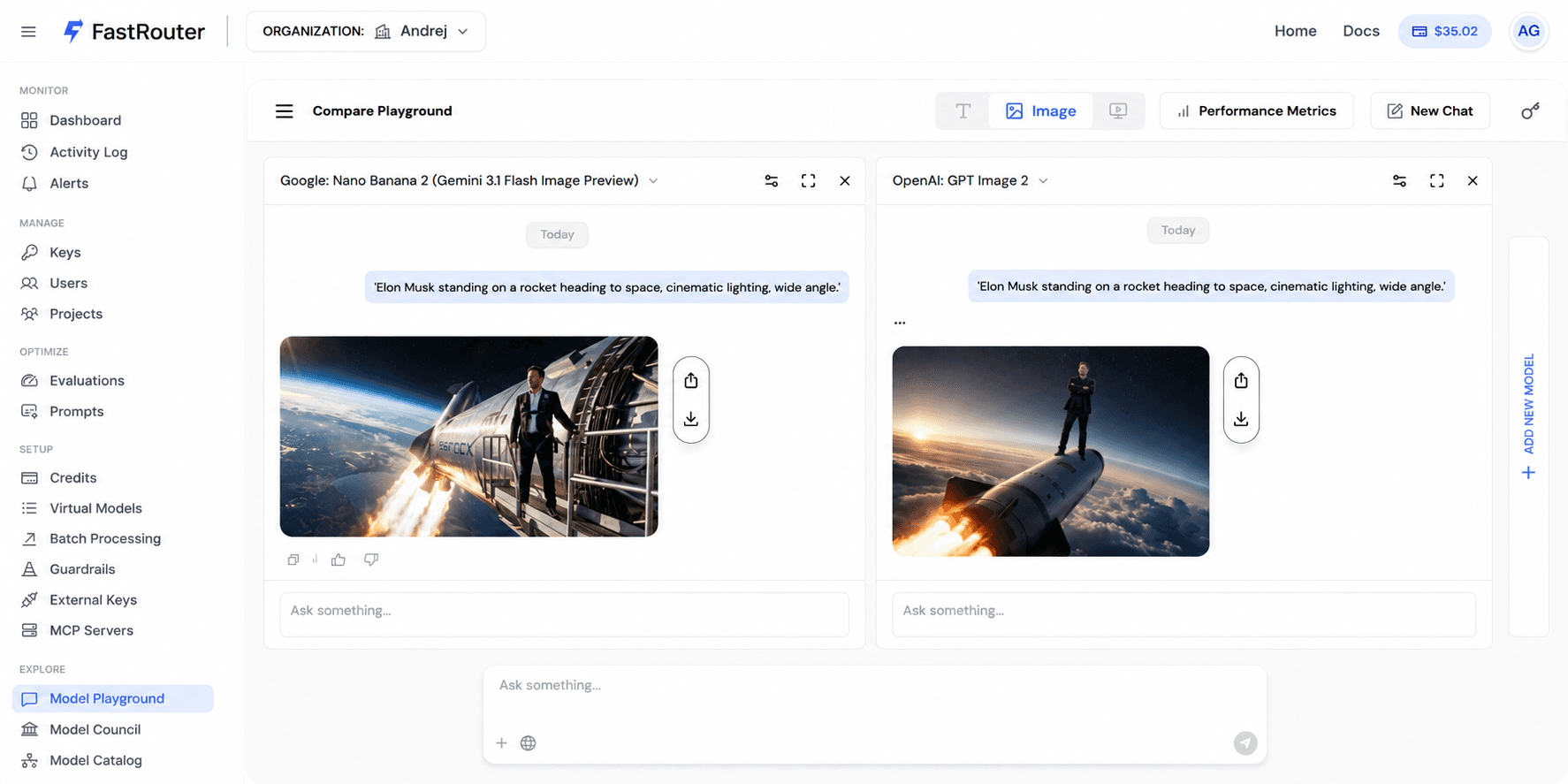
For video, the same applies. Motion quality, camera handling, and temporal consistency vary significantly across models and are impossible to evaluate without watching the actual output. The Playground makes that comparison fast.
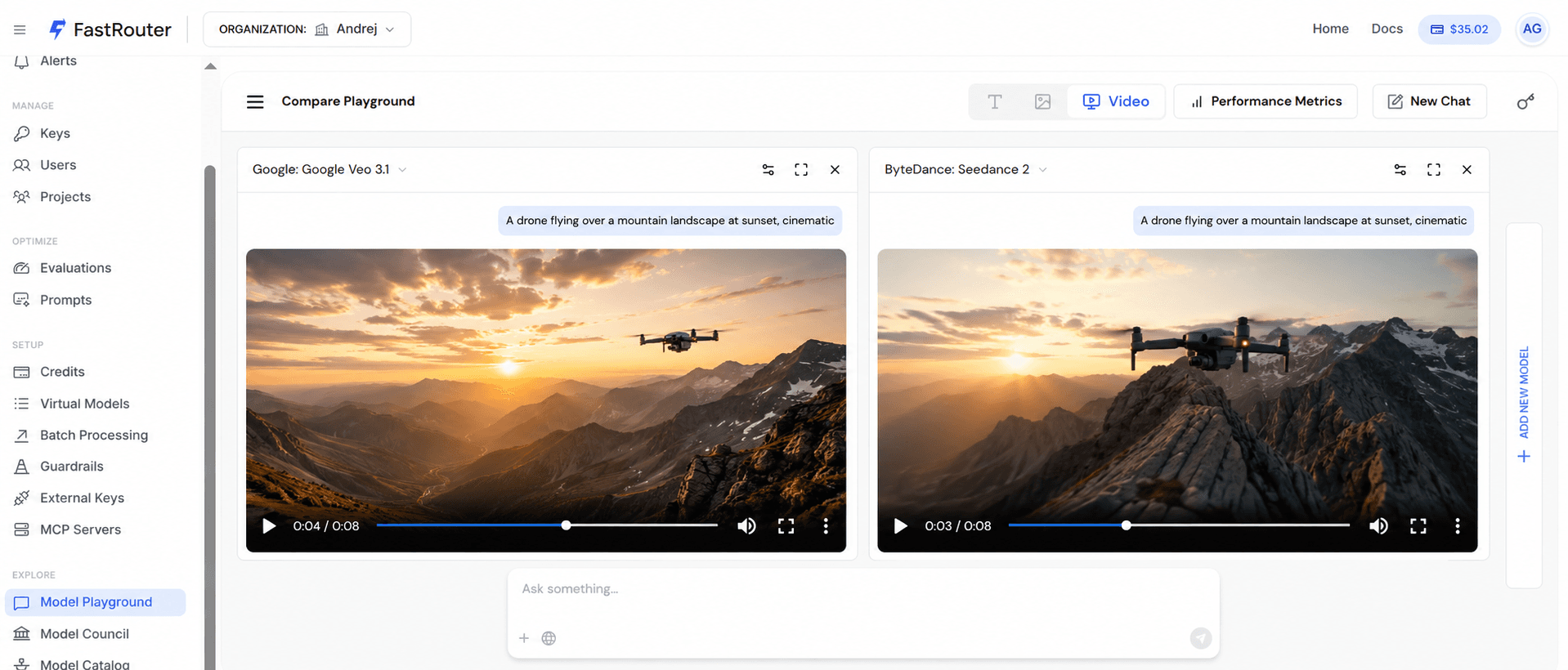
Cost is visible too
Each generation shows its cost per model in the output. So the comparison is not just about which output looks better — it is also about whether the quality difference justifies the price difference at the volume the team will actually use it.
What this replaces
Before this, evaluating image or video models properly meant separate accounts at each provider, separate billing, separate interfaces, and a spreadsheet to track the results. Most teams skipped the comparison and picked the first model that produced acceptable output.
The Playground makes the right decision the easy one.
FastRouter is an LLM gateway giving teams access to 160+ models through one endpoint. Image and video comparison is available in the Playground. Start free at fastrouter.ai.
Related Articles
.png&w=3840&q=75)
Your Coding-Agent Bill Is Growing. And You Can't See Why.
Cursor, Cline, and Claude Code burn tokens very differently by task type. See the real cost gap between them and how routing by task shape stops silent overspend.
.png&w=3840&q=75)
Prompt Hub: Write, Version, and Optimise Prompts Without Touching the Code
Prompt Hub lets teams write, version, and optimise prompts outside the codebase.
.png&w=3840&q=75)
Build Apps and Games in the Playground Without Writing a Single Line of Code
Ask the FastRouter Playground to build an app or game and it renders the result instantly — interactive, no code required.