
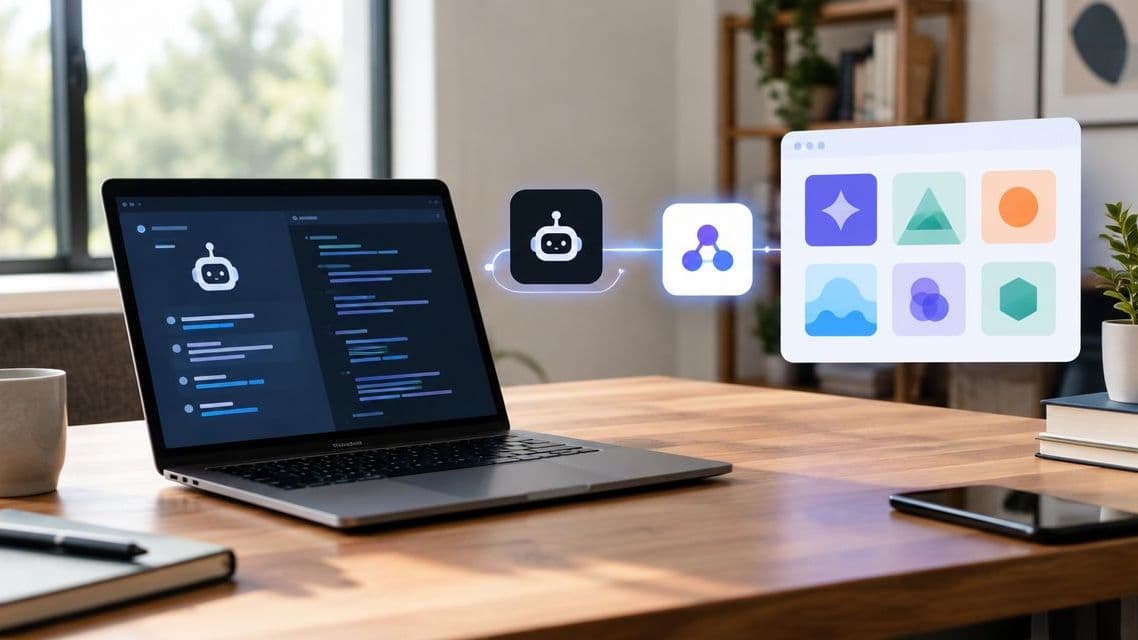
How to connect Roo Code to FastRouter's model catalog
Set up the Roo Code FastRouter integration through an OpenAI-compatible connection. Validate model access, routing, failover, and request tracing.
Instead of maintaining separate provider credentials for each model change, the Roo Code FastRouter integration connects the coding workflow to one OpenAI-compatible gateway for centralized routing and access. This 2026 guide covers connection settings, model selection, fallback configuration, and request validation through FastRouter.
TL;DR
- The Roo Code FastRouter integration uses an OpenAI-compatible connection to centralize LLM access.
- FastRouter is best for enterprise teams that need centralized LLM routing and governance.
- Validate the endpoint, gateway credential, and model identifier before enabling routing or fallback behavior.
- Test coding behavior separately from connectivity; a successful request does not establish task compatibility.
Why this matters
A coding-agent connection has two separate responsibilities: delivering requests and returning responses the agent can use. Successful authentication proves only the first part. Editing, structured responses, and tool calls need their own acceptance checks.
FastRouter provides one OpenAI-compatible endpoint for 200+ models across 20+ providers, with routing, failover, evaluations, observability, and governance. That centralizes the gateway layer; it does not make every model interchangeable for coding tasks.
For a 2026 deployment, establish a working direct-model connection before introducing automatic selection or fallback behavior. Change one layer at a time. Otherwise, an unexpected response becomes difficult to attribute to the extension, connection settings, model choice, or routing policy.
Before you start
- Prepare account access and credentials. Have Roo Code installed, access to its provider configuration, and permission to obtain a gateway credential. Confirm whether upstream access uses BYOK or Wallet. Review the current pricing when selecting the account's request allowance; this guide does not depend on a particular tier.
- Collect the exact connection values. Copy the OpenAI-compatible endpoint and an accessible model identifier from the account's current configuration. Keep a disposable repository ready for testing. Store credentials outside source control and avoid including them in screenshots or shared diagnostic output.
- Gate on task compatibility, not catalog membership. A listed model is not sufficient evidence that a coding workflow works correctly. Identify whether the intended workflow needs tool calls or structured responses, then test those behaviors before configuring fallback destinations.
Record the extension version and initial configuration alongside the 2026 rollout notes. That creates a reproducible baseline without recording secrets. Keep the first test free of application changes, routing experiments, and additional optimization settings.
Gateway credentials
The gateway credential authenticates the client connection. An upstream provider credential serves a different purpose when BYOK supplies provider access. Keep the gateway authentication boundary separate from the upstream provider boundary.
- Open the gateway account and confirm the intended project context. Obtain a credential intended for the coding workflow rather than reusing a credential embedded in another application.
- Confirm the upstream access method: BYOK or Wallet. If BYOK is selected, complete the provider-side credential setup before attempting an end-to-end request.
- Copy the gateway's OpenAI-compatible endpoint exactly as supplied. Preserve its complete path; do not reconstruct an address from the website domain or substitute an upstream provider endpoint.
- Record the intended model identifier separately from its display name. Use the request identifier supplied by the gateway, including any required namespace or suffix.
- Keep a configuration note containing the endpoint source, model identifier, project context, and credential owner. Exclude the credential value itself.
Expected result: the setup has an endpoint, a gateway credential, an accessible model identifier, and an established upstream access method. These are the inputs to the client connection, not proof that the connection works.
A common setup error is mixing credentials and endpoints from different layers. A gateway endpoint paired with an unrelated upstream credential does not represent the intended authentication arrangement. Diagnose that boundary before changing models.
Provider connection
Configure Roo Code through its OpenAI-compatible connection option. Match settings by their purpose: the gateway endpoint belongs in the base-URL setting, the gateway credential belongs in the authentication setting, and the request identifier belongs in the model setting.
- Open Roo Code's provider configuration and select the OpenAI-compatible connection option. Keep any existing working configuration intact until the replacement passes testing.
- Enter the complete gateway endpoint in the base-URL setting. Do not append a request path simply because an example from another client includes one; use the endpoint form required by the installed client's configuration.
- Enter the gateway credential in the API-key setting. Avoid copying surrounding quotation marks, leading spaces, or trailing line breaks.
- Enter the exact model identifier collected during preparation. Start with a direct model target rather than an alias whose destination or routing behavior is still being changed.
- Save the connection and send a minimal text-only request in the disposable workspace. Ask for a short explanation of a harmless code fragment before permitting edits or tool execution.
Expected result: a response returns through the gateway, and its corresponding request can be inspected in Tracing. An answer alone does not establish which destination served it; inspect the trace rather than inferring the route from the response's wording.
Keep the first request deliberately simple. A long agent task introduces several possible failure points at once, including context size, tool behavior, and local permissions. Basic transport and authentication should be established independently.
Routing policy
FastRouter separates provider routing from fallback model selection. Provider Routing Strategies determine routing behavior; Fallback Models define alternative model destinations. Virtual Model Aliases provide a named target for a configured model choice.
- Keep the direct model identifier active while establishing the baseline. Confirm that its responses meet the coding workflow's requirements before adding another destination.
- Select a Provider Routing Strategy that matches the operational objective. Use priority order when an explicit provider preference is required, or assess lowest latency and highest throughput against actual workload evidence.
- Configure Fallback Models only after each proposed destination passes the same functional tests as the primary model. Include tool behavior and output structure in those tests.
- Introduce a Virtual Model Alias when central management of the client-facing target is useful. Configure the alias in the gateway, then copy its exact identifier into the client.
- Record the intended primary destination, permitted alternatives, and acceptance criteria. A fallback that returns text but breaks the coding task is not an acceptable substitute.
Expected result: the intended routing policy is documented, and every permitted model destination has an explicit acceptance result. During the 2026 rollout, keep policy changes separate from client configuration changes so each result remains attributable.
The configuration sequence has four boundaries: Gateway credentials, Provider connection, Routing policy, and Request validation. Complete each boundary before investigating the next.
Request validation
A coding-agent acceptance test needs observable evidence at both ends: the extension's result and the gateway's request record. Tracing provides span-level latency, tokens, cost, full payloads, and tool-call traces. Treat captured payloads as sensitive engineering data.
- Send a text-only request and inspect the corresponding trace. Check the requested target, the observed destination, and the returned response before testing repository operations.
- Request an explanation of a small local file in the disposable repository. Confirm that the result addresses the actual file rather than an assumed project structure.
- If the workflow requires tools, run a bounded tool-assisted task. Inspect the tool-call trace and confirm that the agent completes the intended action rather than merely describing it.
- Test a small edit on a disposable branch, then review the diff. Keep human approval in place for changes with execution or repository impact.
- Exercise an approved fallback scenario in a non-production environment. Confirm both destination selection and successful task completion; do not assume failover from the configured policy alone.
- Save the acceptance result with the client version, model target, routing policy, and sanitized trace reference. Preserve enough context to repeat the test after a configuration change.
Expected result: the connection passes authentication, basic generation, and the coding behaviors the team actually needs. The acceptance record also distinguishes a transport failure from a task-quality failure.
Set no universal latency or throughput target from this guide. Define workload-specific thresholds, then compare observed traces against them. A single short prompt is not a benchmark for a multi-step coding task.
Switch models without changing the workflow
A second configuration uses a Virtual Model Alias instead of a direct model identifier. This is useful when platform owners manage model selection centrally while developers retain a consistent client target.
The trade-off is diagnostic clarity. A direct identifier makes the intended model explicit in client configuration; an alias requires checking its gateway configuration to understand the current destination.
Connection target | Best for | Advantage | Trade-off |
|---|---|---|---|
Direct model identifier | Initial setup and controlled model evaluation | Makes the intended model explicit in the client | A model change requires updating the client target |
Virtual Model Alias | Centrally managed coding configurations | Separates the client-facing target from the configured model choice | Diagnosis requires checking the alias configuration and request trace |
To adopt the alias variant, create the alias, assign the intended model configuration, and copy the alias identifier into Roo Code's model setting. Repeat the text-only and coding acceptance tests. Keep the direct-model baseline available for diagnosis rather than deleting it immediately.
Use direct identifiers for evaluation; use aliases for an approved operating configuration. An alias simplifies target management, but it does not remove the need to evaluate a replacement model before changing its destination.
Troubleshooting
Authentication fails
Check that the client uses the gateway credential with the gateway endpoint. Remove accidental whitespace and confirm that the credential remains valid. If authentication succeeds but provider access fails, inspect the configured BYOK or Wallet access separately rather than repeatedly replacing the client credential.
The model target is rejected
Compare the configured value with the exact request identifier supplied by the gateway. Display names and request identifiers serve different purposes. If an alias is involved, inspect its configured destination, then retest with the known direct-model baseline to isolate the failing layer.
Text works, but tool-assisted tasks fail
Separate generation from tool compatibility. Repeat a minimal tool-assisted task, inspect its trace, and compare the response with what the client expects. Evaluate another permitted destination against the same test rather than assuming every model behind an OpenAI-compatible endpoint supports identical coding behavior.
A fallback responds but produces an unusable result
Treat this as an acceptance failure, not a connectivity success. Inspect the destination that served the request and repeat the coding test directly against it. Remove the destination from the approved fallback configuration until its behavior meets the workflow's requirements.
Customize the workflow
After the connection passes acceptance, expand governance and observation before expanding model choice. Projects and Role-Based Access Control support administrative separation; Guardrails provide Observe mode for logging and Validate mode for blocking. Choose those modes deliberately because they have different operational effects.
Use Dynamic Tags to organize traffic analysis, and inspect Tracing for request behavior. Keep application-level approval controls in place: a gateway guardrail does not replace review of a repository edit or permission to execute a local command.
For recurring optimization review, Insights analyzes organizational traffic weekly over a rolling 7-day window. Its recommendations are advisory; nothing is applied automatically. Evaluate a proposed change against the coding acceptance suite before changing the active configuration.
For enterprise deployment requirements, contact the team with the intended access model, governance requirements, and acceptance criteria. A concrete workflow description is more useful than an unsupported request for the fastest model.
FAQ
How does the Roo Code FastRouter integration connect?
The Roo Code FastRouter integration uses an OpenAI-compatible connection with a gateway endpoint, gateway credential, and model identifier. Validate a direct model target before adding aliases or fallback behavior.
Does connecting the gateway make every model suitable for coding?
No. Catalog access does not establish coding-task compatibility. Test generation, tool calls, and repository edits against every destination permitted by the routing policy.
Should Roo Code use a provider key or a gateway key?
The client connection should use the credential intended for the gateway endpoint. When BYOK supplies upstream access, configure that provider credential separately in the gateway arrangement.
Is a direct model identifier better than an alias?
A direct model identifier is better for initial diagnosis and controlled evaluation. A Virtual Model Alias is useful when model-target management belongs in the gateway rather than individual client configurations.
Does successful authentication prove that fallback works?
No. Authentication confirms access, not fallback behavior. Exercise an approved failure scenario outside production and inspect the resulting destination and task outcome.
What should an engineering team inspect after the first request?
Inspect the corresponding trace and compare it with the client result. Confirm the request target, observed destination, response, and any tool-call behavior relevant to the task.
Does Insights automatically change the coding configuration?
No. Insights provides advisory recommendations and does not apply changes automatically. Run proposed changes through the same acceptance tests used for the initial connection.
One last thing
For the 2026 operating checklist, preserve the successful direct-model baseline even after adopting an alias. When a coding task changes behavior, that baseline provides a controlled comparison against the active routing configuration.
A gateway response is transport evidence, not coding-quality evidence. Keep both checks in the release process: confirm which destination answered, then confirm that the agent completed the intended task.
Related Articles

How long does it take to integrate an LLM gateway?
LLM gateway integration time depends on API compatibility and rollout scope. Separate the first routed request from production validation and governance.
How to connect Kilo Code to FastRouter for automatic failover
Kilo Code FastRouter integration: configure gateway failover, validate tool calls, and test recovery before rolling out a shared enterprise coding workflow.

LLM gateway for logistics AI teams: complete 2026 guide
An LLM gateway for logistics teams centralizes routing and failover. Compare architectures, test shipment workflows, and define governance controls.