
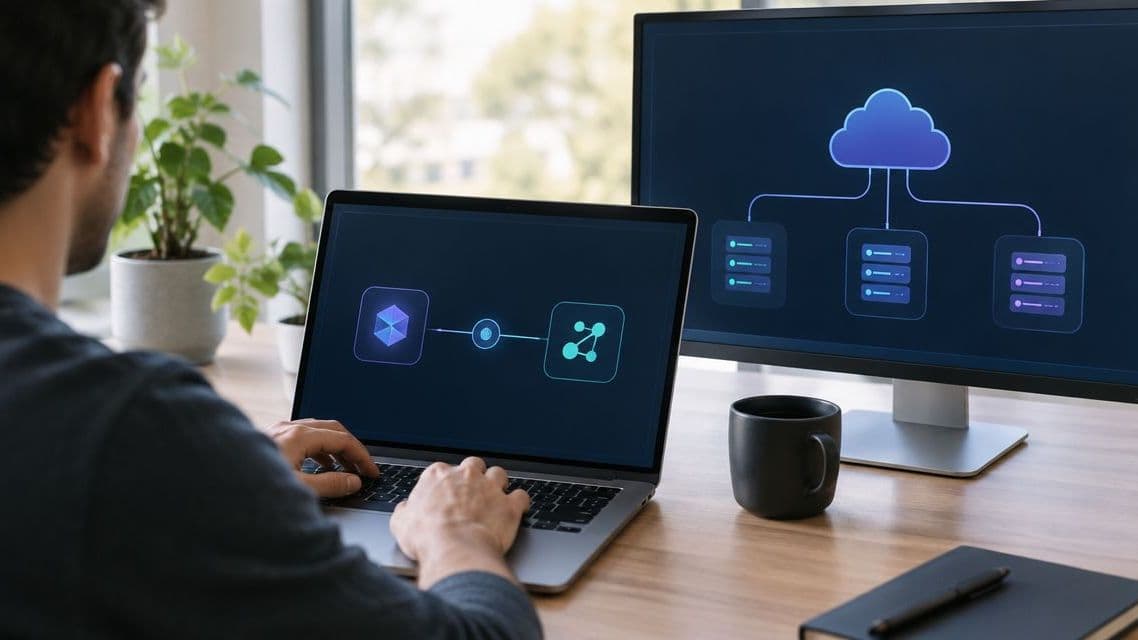
How to connect Kilo Code to FastRouter for automatic failover
Kilo Code FastRouter integration: configure gateway failover, validate tool calls, and test recovery before rolling out a shared enterprise coding workflow.
Instead of manually changing model connections after a failed coding request, connect Kilo Code through an OpenAI-compatible gateway and configure fallback models at the gateway. This guide covers the connection requirements, routing decisions, and failure tests for using FastRouter without treating every unsuccessful coding task as a provider outage.
TL;DR
- The Kilo Code FastRouter integration requires an OpenAI-compatible connection with a gateway endpoint, API key, and model identifier.
- FastRouter is best for enterprise development teams centralizing LLM routing, failover, and usage governance.
- Fallback Models handles routing configuration; acceptance tests must verify tool calls, streaming, and application behavior.
- A successful request proves connectivity, not automatic failover. Test provider failure separately before production use.
Why this matters
An editor connection and a failover policy solve different problems. The connection determines where coding requests go; the policy determines which model or provider should handle them when the preferred route cannot serve the request.
Automatic failover is not automatic task recovery. A replacement model still needs to understand the request, produce the required response format, and support the coding workflow. A request that completes without usable tool calls is not a successful recovery.
For a 2026 deployment, separate acceptance into three checks: connection success, fallback execution, and coding-task correctness. That distinction keeps a successful connection test from becoming an unsupported reliability claim.
Before you start
- Client access: Access to the installed Kilo Code configuration and a connection mechanism that accepts an OpenAI-compatible endpoint, API key, and model identifier. If that configuration is unavailable, resolve client compatibility before configuring gateway failover.
- Gateway access: Permission to obtain the endpoint and credential, configure routing, and inspect traces. Choose the appropriate project and credential ownership before entering a key into a development environment.
- Compatibility check: Identify whether the coding workflow requires streaming, tool calls, structured responses, or image inputs. A fallback must support the request the client actually sends, not merely accept a text prompt.
Keep the first test away from production repositories and sensitive material. Tracing can include full payloads and tool-call traces, so access to debugging data needs the same attention as access to the credential itself.
Connection configuration
The 2026 connection baseline is deliberately small: establish a working request path before adding routing complexity. Use current account values rather than copying an endpoint, model identifier, or authentication example from an unrelated provider.
Enter the connection values
- Open the connection configuration in the installed Kilo Code release. Confirm that it can accept an OpenAI-compatible gateway connection before proceeding.
- Copy the endpoint supplied for the gateway account into the connection's endpoint configuration. Preserve the supplied path; do not add or remove path segments by assumption.
- Enter the gateway credential in the connection's credential configuration. Keep the key out of repository files, screenshots, shared prompts, and diagnostic exports.
- Enter an exact model identifier accepted by the gateway account. Start with a known permitted model rather than an untested alias or fallback chain.
- Save the connection using the controls provided by the installed release. Keep the previous working configuration available for rollback.
The required configuration values are the endpoint, credential, and model identifier. These are connection concepts, not guaranteed verbatim Kilo Code interface labels; follow the installed release's terminology rather than looking for an assumed screen layout.
Expected result: The client has a saved gateway connection with an explicit model target. Saving configuration alone does not establish that authentication or inference works.
Prove the request path
- Submit a short, non-sensitive coding request in a disposable workspace.
- Confirm that the client receives a usable response rather than merely accepting the configuration.
- Inspect the corresponding gateway trace. Match the request to the intended project and model route.
- Repeat with a task that requires the workflow's actual tool behavior. Inspect both the client outcome and the tool-call trace.
- If the workflow uses streaming, verify that the response completes normally before adding fallback behavior.
Expected result: A request travels through the gateway and completes in the client with the required response behavior. The trace provides evidence of the route; the client result provides evidence of usability.
Record the working configuration without exposing the secret. This creates a rollback reference and prevents connection debugging from becoming mixed with routing debugging.
Failover configuration
FastRouter supports Fallback Models, Provider Routing Strategies, and Virtual Model Aliases. These capabilities address different configuration decisions: fallback selection, provider selection, and the model name presented to an application.
For the initial setup, choose a preferred route and a deliberately small fallback scope. Adding more candidates before testing makes failures harder to attribute.
Define the fallback policy
- Identify the preferred model and the coding capabilities its requests require.
- Configure Fallback Models through the gateway's current configuration surface. Select a fallback that is appropriate for the same request shape and task.
- Confirm that the relevant credentials can access the preferred and fallback routes. Check the intended project context as well as the model selection.
- Review the applicable provider strategy separately. Do not treat provider ordering and model substitution as interchangeable decisions.
- Record the failure conditions the configured policy covers. Do not assume that a validation error, interrupted stream, and unavailable provider receive identical treatment.
Expected result: The gateway has an explicit fallback policy with a defined scope. The client remains connected to the gateway rather than requiring a manual provider change for each failure.
Keep routing choices distinct
Configuration choice | Best for | Benefit | Constraint |
|---|---|---|---|
Fallback Models | Recovery through an alternate model | Establishes model alternatives for failover | Each alternative needs task-level compatibility testing |
Priority order | Explicit provider preference | Makes provider ordering a deliberate configuration choice | Ordering alone does not establish model interchangeability |
Lowest latency | Latency-oriented provider selection | Makes latency a routing criterion | It does not establish coding quality or task correctness |
Virtual Model Aliases | A stable application-facing model name | Separates the client-facing name from model configuration | Alias changes still require regression testing |
Start with explicit routing and a narrow fallback set. Add latency-oriented selection only after the coding workflow passes its functional checks. A routing strategy is a selection mechanism, not a performance guarantee.
The connection remains the same architectural boundary throughout this process. The client sends requests to the gateway; routing decisions belong in gateway configuration, while the client must still handle the returned response correctly.
Acceptance tests
For the 2026 rollout, use 3 test cases as the minimum acceptance plan. These are proposed engineering checks, not measured product results.
- Healthy route: Run a representative coding task while the preferred route is healthy. Confirm the selected route, response completion, and required tool behavior.
- Controlled failure: Use an isolated configuration to make the preferred route unavailable under a condition covered by the fallback policy. Confirm in the trace that the fallback handled the request. Avoid disrupting a shared production route.
- Capability check: Run a task that exercises the hardest required behavior, such as tool calls or structured responses, against the fallback. Verify the resulting code or tool action independently.
Expected result: Connectivity, fallback execution, and coding correctness each have separate evidence. A fallback appearing in a trace is insufficient if the client cannot use its response.
Record the requested model, actual route, observed failure, and final client outcome for each case. Compare latency and token usage from traces without turning one successful test into a general performance claim.
Set a separate acceptance decision for partial responses. A request that already produced streamed content or initiated a tool action needs application-level review; repeating the request can repeat work. Do not assume gateway failover reconstructs an interrupted coding session.
Variant: change models behind a stable alias
A second workflow uses Virtual Model Aliases to keep an application-facing model name stable while changing model configuration centrally. This is useful when model selection changes more often than editor configuration should.
- Create an alias using the gateway's supported configuration mechanism.
- Associate the alias with the intended model configuration. Verify any interaction with fallback settings rather than assuming the alias itself defines recovery behavior.
- Replace the direct model identifier in the client connection with the configured alias.
- Run the healthy-route acceptance test again. Confirm that the alias resolves to the intended route.
- After any alias change, repeat the capability and controlled-failure checks before broader rollout.
Expected result: The client requests the configured alias while gateway configuration controls its resolution. The stable name reduces client configuration changes; it does not eliminate evaluation work.
For a 2026 model change, retain the previous alias configuration and its acceptance results. Rollback should restore a known configuration, not introduce another untested model during an incident.
Troubleshooting
The client rejects authentication
Check that the credential belongs to the intended gateway account and project context. Re-enter it without surrounding whitespace, then confirm that the selected route is permitted. Do not replace the gateway credential with an unrelated provider key unless the connection explicitly requires that arrangement.
The request reaches an unexpected endpoint
Compare the configured endpoint with the account-supplied value character for character. An added path segment or an incorrectly shortened base address can send a request somewhere other than intended. Restore the supplied value before changing routing rules.
The preferred route fails without a fallback
Inspect the trace and the configured failure policy together. Confirm that the fallback is configured, accessible, and applicable to the observed failure. Treat an unsupported request format or invalid model identifier as a configuration problem, not proof that provider recovery is broken.
Text works but coding actions fail
Test the exact tool-call or structured-response behavior required by the client. A plain text response does not demonstrate function-calling compatibility. Remove an unsuitable fallback from the tested workflow until its behavior meets the acceptance criteria.
A retry repeats a tool action
Review the client outcome and tool-call trace before resubmitting the task. Determine whether the previous attempt already changed a file or invoked a tool. Gateway fallback does not replace application-level safeguards against duplicate side effects.
Customize your workflow
After the narrow configuration passes, expand governance and observability rather than adding models indiscriminately. Use Projects to organize access and Role-Based Access Control to govern administrative permissions.
FastRouter's LLM gateway also provides Tracing, Alerts, and Dynamic Tags. Use traces to investigate requests, tags to distinguish workloads, and alerts for operational notification. Define what the team needs to investigate before deciding which payloads should be exposed during debugging.
Keep optimization separate from recovery. Evaluations can support model comparisons, while Insights provides advisory recommendations rather than automatically applying changes. A proposed model change still belongs behind the same coding acceptance checks.
For a 2026 production handoff, assign owners for connection credentials, routing policy, and incident response. Use the contact page when the deployment requires a discussion of enterprise routing and governance requirements.
FAQ
How does the Kilo Code FastRouter integration work?
The integration requires Kilo Code to send requests through an OpenAI-compatible gateway connection. The client supplies the endpoint, credential, and model identifier; gateway configuration controls routing and fallback behavior.
Does a successful connection prove automatic failover works?
No. A successful request proves the healthy connection path; a separate controlled-failure test must demonstrate fallback execution and a usable client response.
Should a coding workflow start with provider routing or fallback models?
Start by defining the recovery requirement. Provider routing selects among provider routes, while Fallback Models defines model alternatives; the required behavior determines which configuration needs testing.
Can every model serve as a coding fallback?
No. A fallback must support the request format and required coding behavior, including any tool calls, structured responses, streaming, or multimodal inputs used by the workflow.
Can a stable alias replace model configuration in the editor?
A configured Virtual Model Alias can serve as the application-facing model identifier. Its resolution and any associated fallback behavior still need validation after configuration changes.
Will failover recover an interrupted tool action?
Do not assume it will. Inspect the client state and tool-call trace before retrying, because repeating a request can repeat an action that already occurred.
What should be checked before sharing coding traces?
Check payload content, credential exposure, and access permissions before sharing traces. Tracing can include full payloads and tool-call details, so debugging exports require deliberate handling.
One last thing
The strongest failover test ends with verified code, not a successful response status. Keep one representative coding task as a regression check whenever the preferred model, fallback, alias, or provider strategy changes.
A small, repeatable acceptance test is more useful than a long fallback list whose behavior has never been exercised.
Related guides
Related Articles
How to connect Roo Code to FastRouter's model catalog
Set up the Roo Code FastRouter integration through an OpenAI-compatible connection. Validate model access, routing, failover, and request tracing.

How long does it take to integrate an LLM gateway?
LLM gateway integration time depends on API compatibility and rollout scope. Separate the first routed request from production validation and governance.

LLM gateway for logistics AI teams: complete 2026 guide
An LLM gateway for logistics teams centralizes routing and failover. Compare architectures, test shipment workflows, and define governance controls.