
.png&w=3840&q=75)
Add an MCP Server in Two Inputs, Not Seven
Add an MCP server in two inputs instead of seven. Templates handle GitHub, Slack, and Jira setup while keeping full credential vaulting and audit logs

MCP (Model Context Protocol) is how AI agents connect to external tools — GitHub, Slack, Jira, databases, and more. FastRouter has supported MCP server connections since launch. What changed is how fast and how safely those connections can be set up.
Before the update, adding a server manually meant tracking down and entering up to seven separate pieces of information: the server URL, the authorization URL, the token URL, scopes, client credentials, and more. For anyone who has done this, it is the kind of setup that takes an afternoon the first time and is still slightly nerve-wracking the second time.
With preconfigured templates, adding GitHub takes two inputs. FastRouter handles everything else.
What templates actually do
A template is a preconfigured setup for a known integration. For GitHub, Slack, Jira, and other common tools, FastRouter already knows the server URL, the authorization URL, the token URL, and the correct scopes. The team only needs to provide what is unique to their environment — typically an API token and an organization name.
The result is a server that is connected, authenticated, and available to agents through the MCP Gateway in minutes rather than an afternoon.
Keys stay in one place
Whether a server is set up via template or manually, all credentials are stored in FastRouter's credential vault. Agents connecting through the MCP Gateway never see raw API keys. The vault holds the credentials and handles authentication, so the keys are in one place and the agents never have direct access to them.
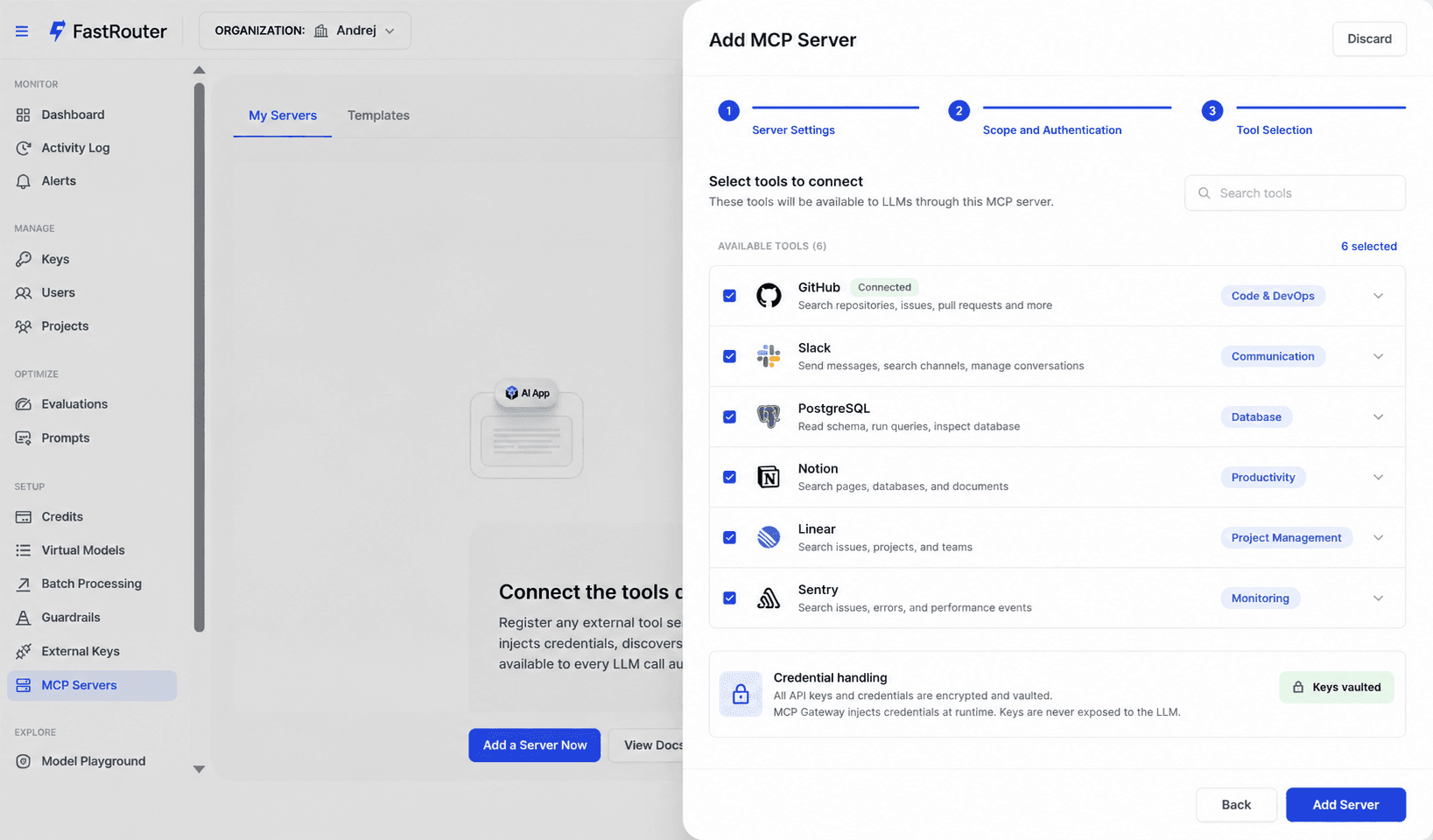
The same governance applies
A template-based server goes through the same MCP Gateway as a manually configured one. Every tool call appears in the audit log. Per-agent access controls apply. The template speeds up the setup — it does not bypass any of the governance that was already there.
When to use a template vs manual setup
Templates exist for common, well-known tools where the connection parameters are standard. For internal tools or services with unusual authentication flows, manual configuration through the MCP Gateway is still the right path and works exactly as before.
The goal is removing the repetitive setup work for the integrations that every team builds the same way. Custom work stays custom.
MCP server templates are available in the FastRouter MCP Gateway now. Start connecting your agents at fastrouter.ai.
Related Articles
.png&w=3840&q=75)
Building Safer AI Applications: A Practical Guide to Guardrails in FastRouter.ai
When you deploy an AI-powered application, you're not just shipping a feature—you're establishing trust.
.png&w=3840&q=75)
Stop Parsing LLM Text for Yes/No Answers: TypeSafe Jev on FastRouter
Replace regex parsing of chat output with typed answers and probabilities. How TypeSafe Jev works on FastRouter, with curl, Python and Node examples.

How does Claude Code Router work?
Learn how claude code router routes requests, adapts provider APIs, and handles responses, plus the checks needed before using it for production coding.