
.png&w=3840&q=75)
How One Team Built an AI Assistant That Actually Knows Their Product — Without Writing Integrations
How One Team Built an AI Assistant That Actually Knows Their Product — Without Writing Integrations

When Emma joined the customer success team, she asked a simple question: why can’t our AI assistant see what customers are actually asking?
The assistant could explain the product, but it had no access to the systems where real context lived. It couldn’t read Intercom conversations, check ticket status in Linear, or pull relevant documentation. As a result, when users asked about real issues, the system guessed or returned generic responses.
The problem wasn’t the model. It was the lack of access to real data.
The hidden cost of building integrations
The team started with the standard approach: build integrations.
Within weeks, they had implemented multiple OAuth flows, managed API keys across environments, and built orchestration logic to handle tool calls. This introduced both complexity and risk. Credentials were now flowing through application code, and maintaining integrations started consuming engineering time.
Performance also suffered. Each request triggered multiple round trips between the model and external systems. What should have been instant responses stretched into 8–12 seconds.
At that point, the team wasn’t improving the product anymore. They were maintaining infrastructure.
Moving integrations out of the application layer
Instead of continuing to build integrations inside the application, the team moved that responsibility into a dedicated layer: the MCP Gateway.
External systems were registered once, with authentication handled centrally and access scoped at the project level.
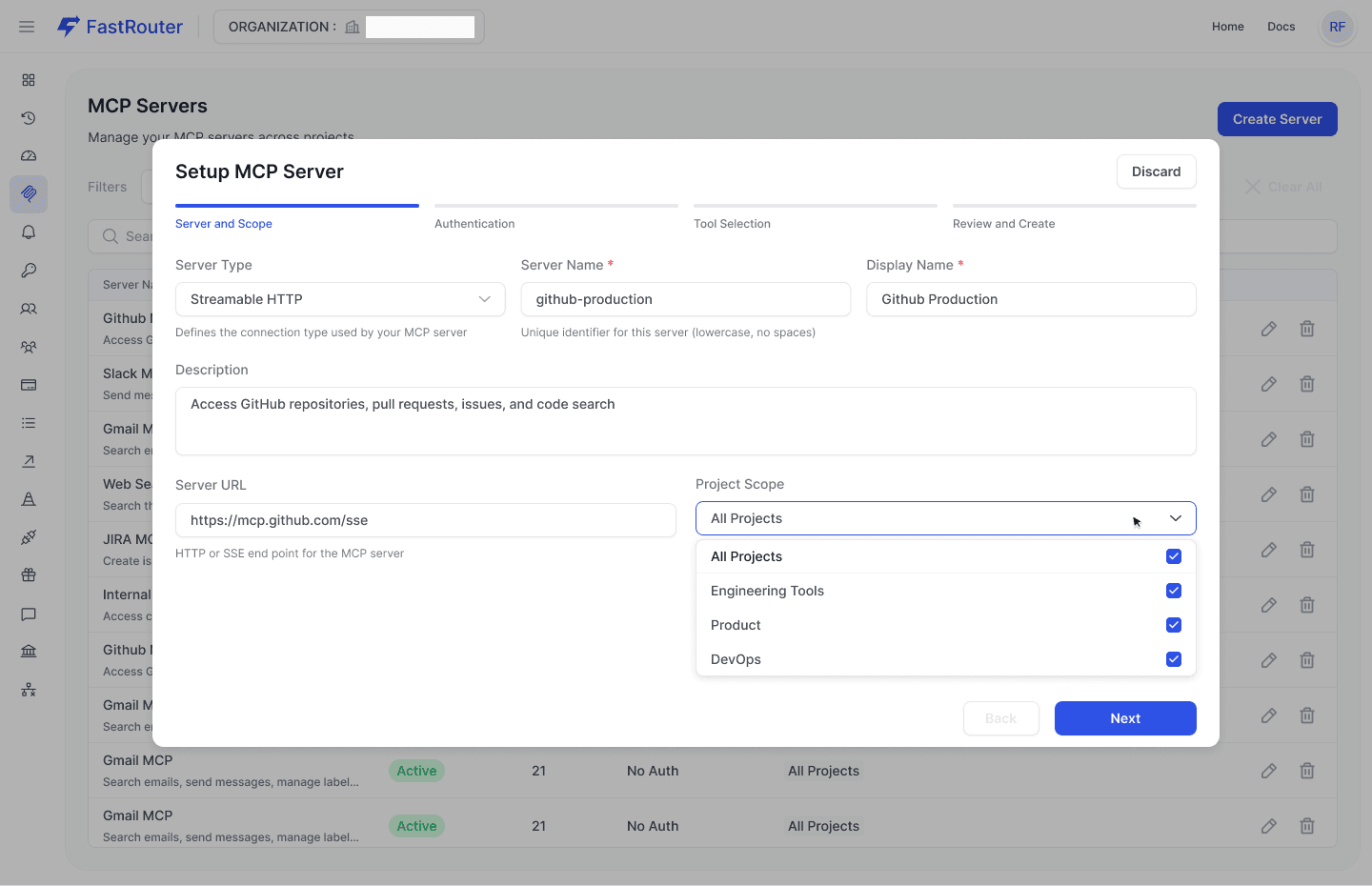
Configure external systems once, define scope and connection details centrally.
Authentication was no longer handled in the application. Credentials were stored securely and injected when needed. This removed the need to pass sensitive data through application code.
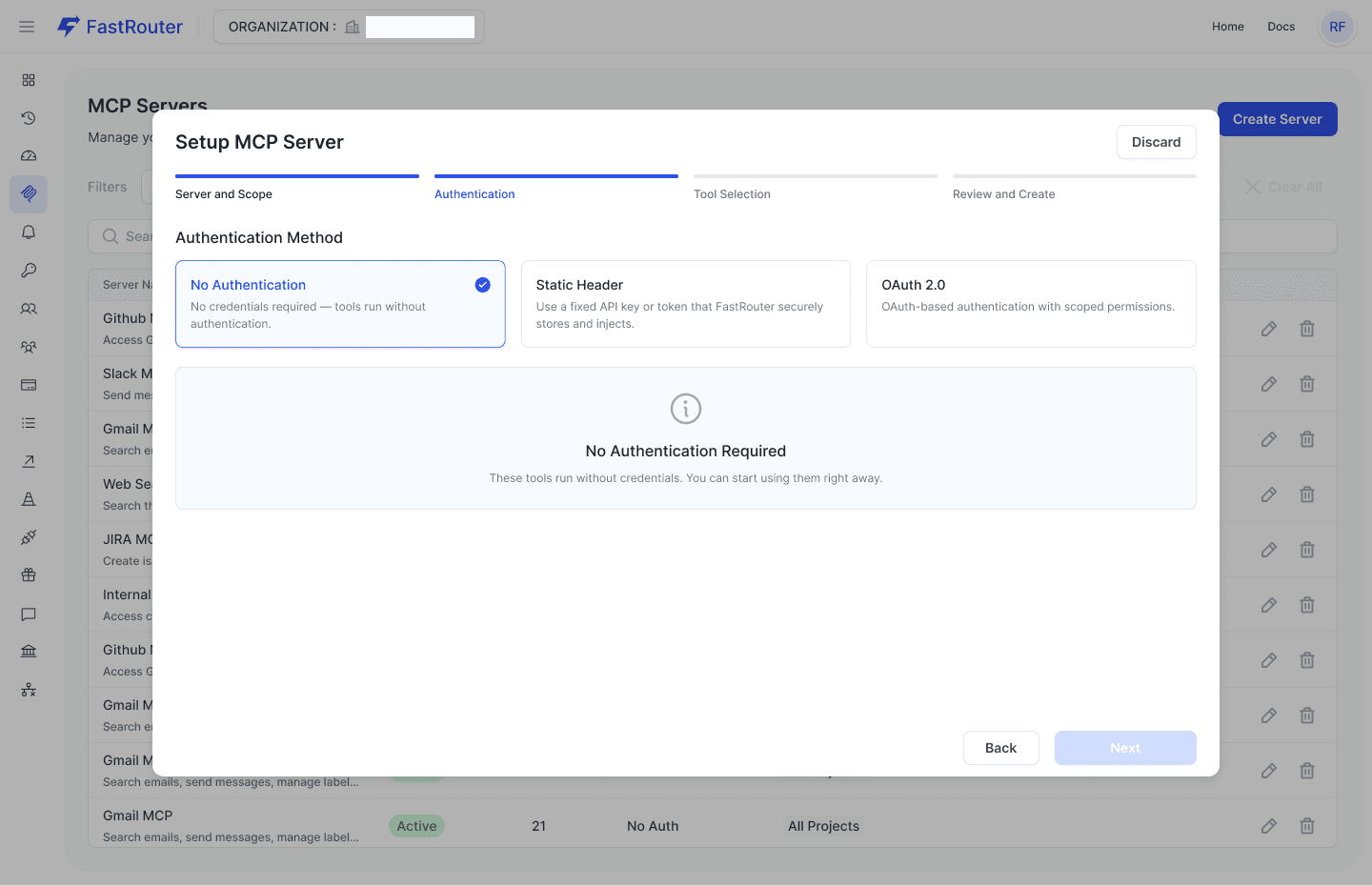
Choose how each system authenticates. Credentials are managed centrally, not in your app.
Controlling access at the tool level
Beyond authentication, the team could explicitly control which actions were allowed.
Instead of exposing entire APIs, they selected only the tools required for their use case.
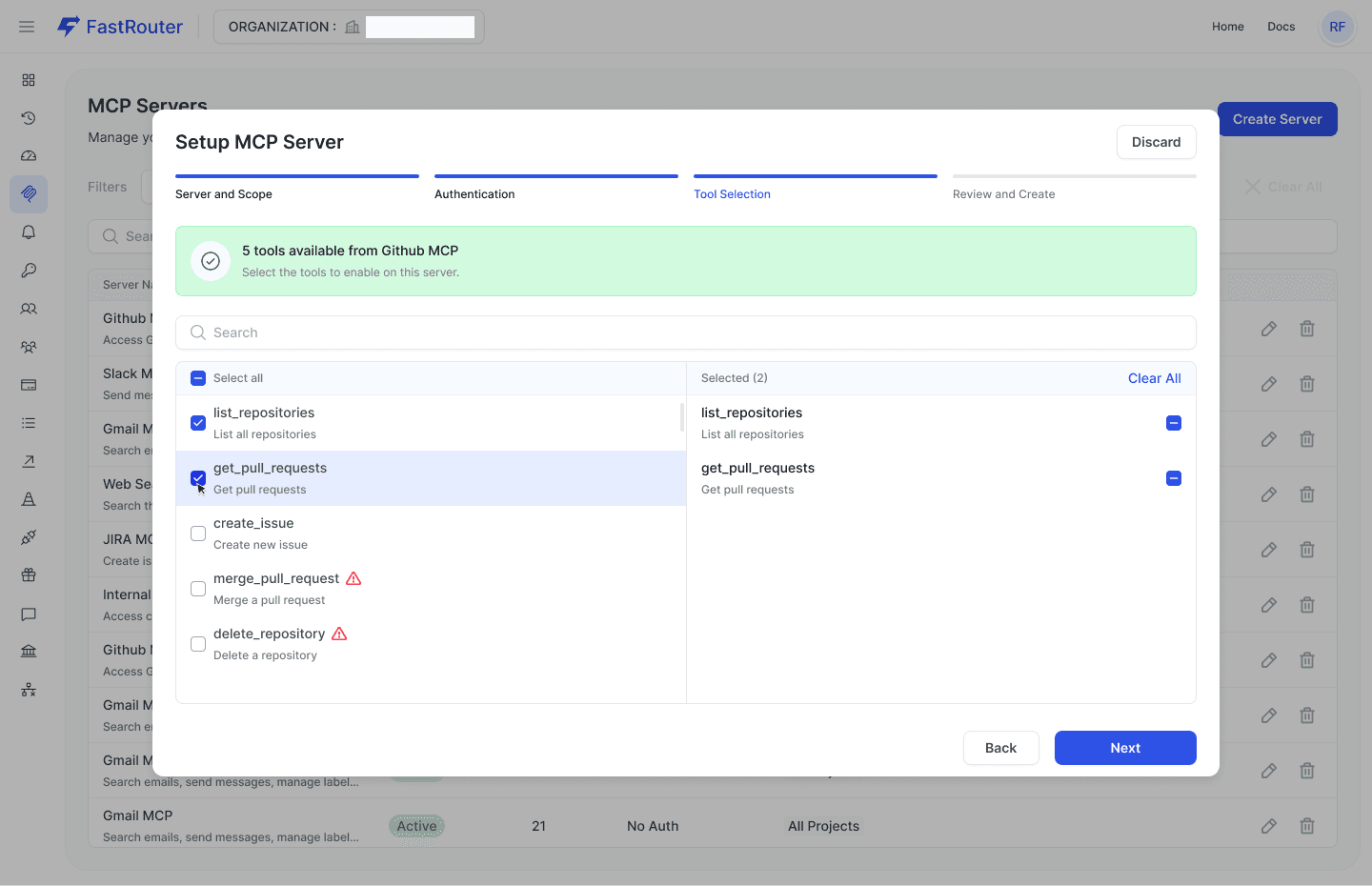
Expose only the tools you need. Restrict access to avoid unintended or destructive actions.
This meant the assistant could retrieve information safely, without risking unwanted operations like deleting data or modifying records.
Eliminating orchestration with auto-execution
Previously, every tool interaction required coordination between the model and the application. The system had to:
- detect tool usage
- call external APIs
- return results
- re-run the model
With MCP, this entire loop is handled automatically.
Instead of building orchestration logic, the team enabled MCP with a simple configuration:
1{2 "model": "openai/gpt-4o",3 "messages": [4 {5 "role": "user",6 "content": "Customer asking about ticket #847 status and any known fixes"7 }8 ],9 "mcp": {10 "enabled": true,11 "servers": ["intercom", "linear", "wiki"],12 "auto_execute_tools": true13 }14}
The gateway handles tool selection, execution, and response composition. The application receives a final answer without managing intermediate steps.
From setup to production in minutes
Once configured, the integration is ready to use across applications.
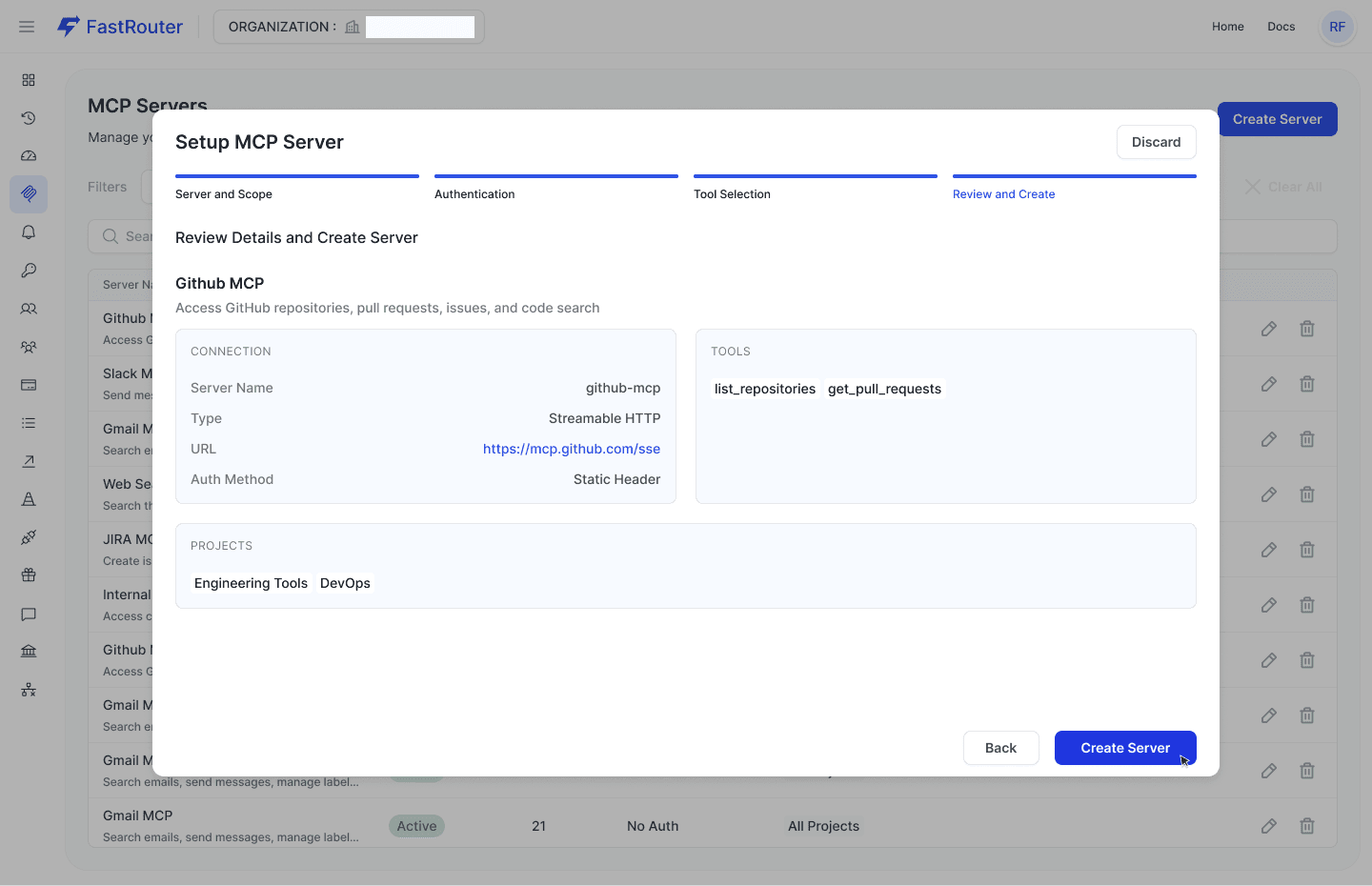
Review configuration and deploy. No additional integration logic required.
This significantly reduced time to production. Adding a new system no longer required writing integration code or handling authentication flows.
What changed in practice
After the shift, the assistant became significantly more reliable. It could access real conversations, check actual ticket statuses, and retrieve relevant documentation.
Latency dropped from double-digit seconds to a few seconds. The assistant felt responsive again.
At the same time, engineering teams regained focus. Instead of maintaining integrations, they could work on product improvements.
Security also improved. Credentials were no longer exposed in application code, reducing the overall risk surface.
A different way to think about AI systems
What this team realized is that the real challenge in production AI systems is not the model itself. It’s everything around it: integrations, credentials, orchestration, and reliability.
By moving these concerns into a dedicated gateway layer, they simplified their architecture and improved both performance and maintainability.
The assistant didn’t become more powerful because of a better model. It became more useful because it was properly connected to real systems.
Getting started
Setting up an MCP Gateway involves:
- defining external systems as MCP servers
- configuring authentication
- selecting accessible tools
- enabling MCP in your requests
Once configured, the same setup can be reused across applications without additional integration work.
Final thoughts
As AI systems move into production, the complexity shifts from model selection to system design.
Teams that centralize integrations and tool access move faster, build more reliable systems, and reduce operational risk.
Connecting models to real data is no longer optional. The only question is how you manage that connection.
Related Articles

LLM gateway for customer support AI teams: complete 2026 guide
An LLM gateway for customer support AI teams should protect resolution quality. Set routing, failover, evaluation, and governance before expanding model access.

LLM gateway for insurance AI teams: complete 2026 guide
An LLM gateway for insurance AI teams needs approved routing, tested failover, and evidence checks. Build controls before scaling claims and underwriting AI.

LLM gateway for legal tech teams: complete 2026 guide
Choose an LLM gateway for legal tech teams around confidentiality, approved failover, and legal evaluations. Compare routing options and plan a controlled rollout.